

Billing - Installments - Splitting Payments
Last updated: Aug 04, 2026
427
views

Before Starting
Please note the following:
- This feature is available only for TG (Tiers Garant) bills.
- It cannot be used for TP (Tiers Payant) bills, as these are paid directly by the insurance.
- Installments can only be created when the patient pays the bill directly (either as a self-payer or when the insurance reimburses the patient afterward).
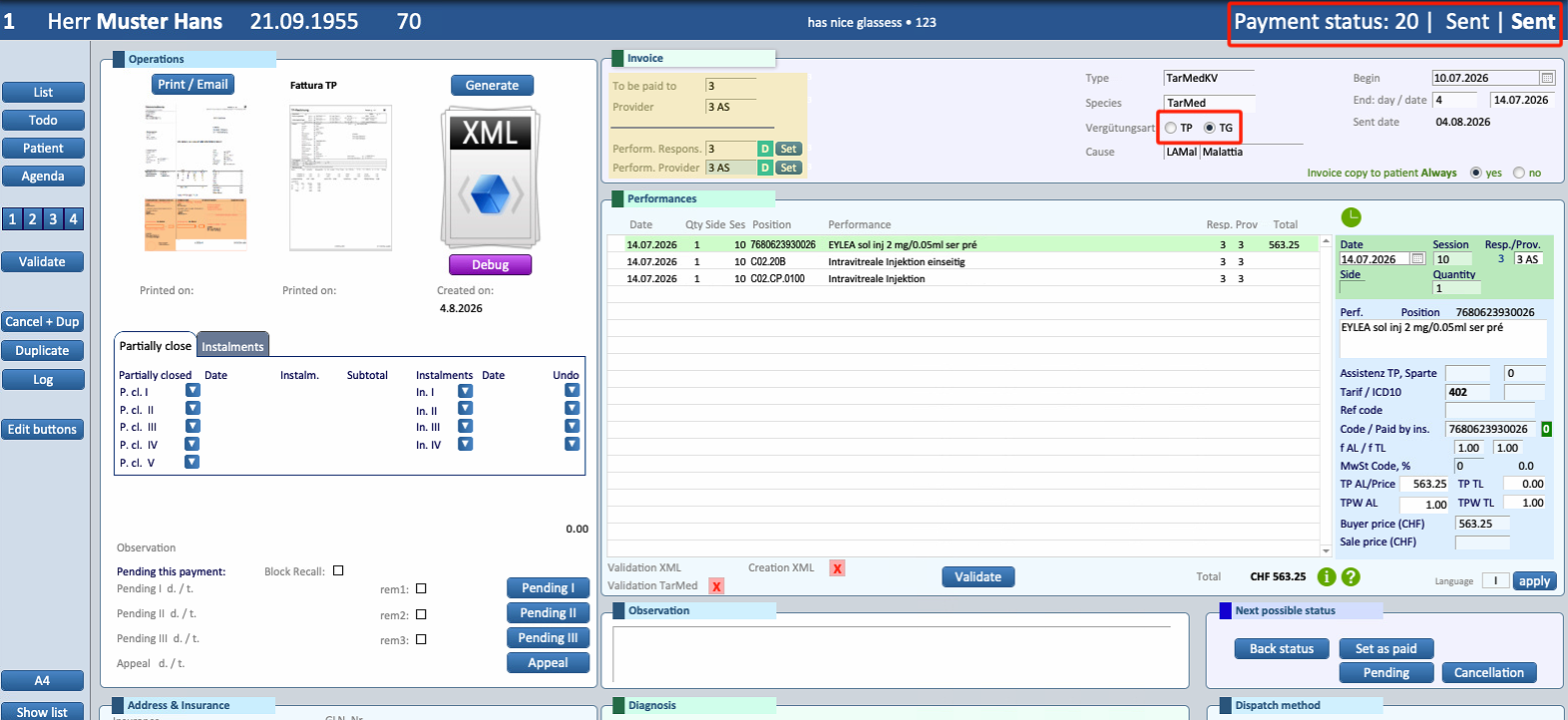
- A bill must already be in "Sent" status before it can be split. Bills still in "Open" status cannot be divided into installments.
1. Open the Bill
- Open the patient's Payments section.
- Open the bill that needs to be split into installments.
- Verify that the bill status is Sent.
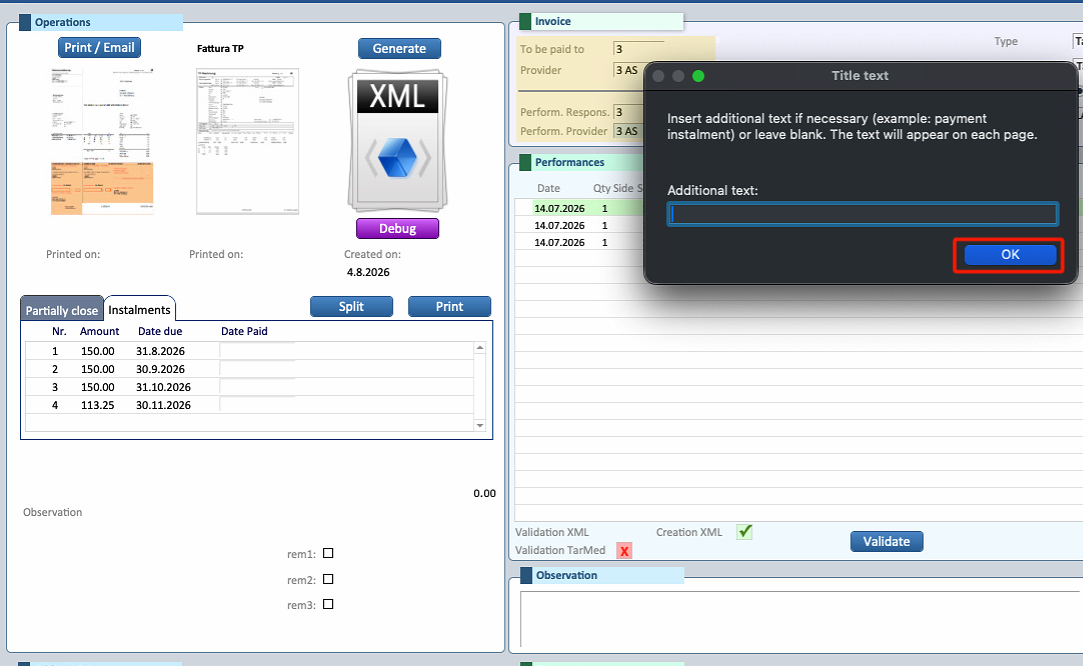
2. Open the Installments Window
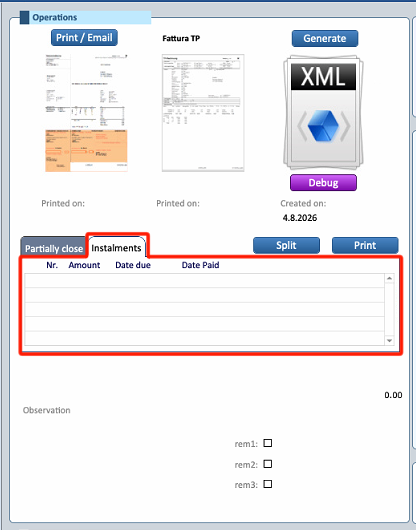
- Select Installments from the left side of the invoice window.
- Press Split.
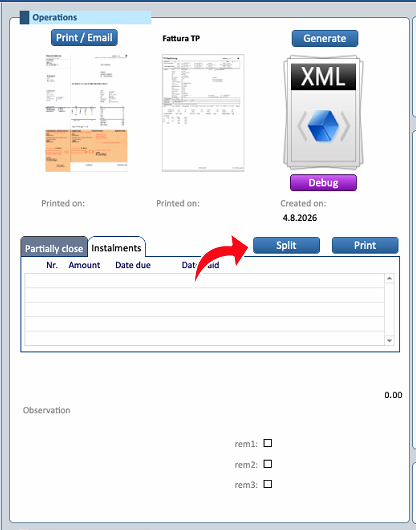
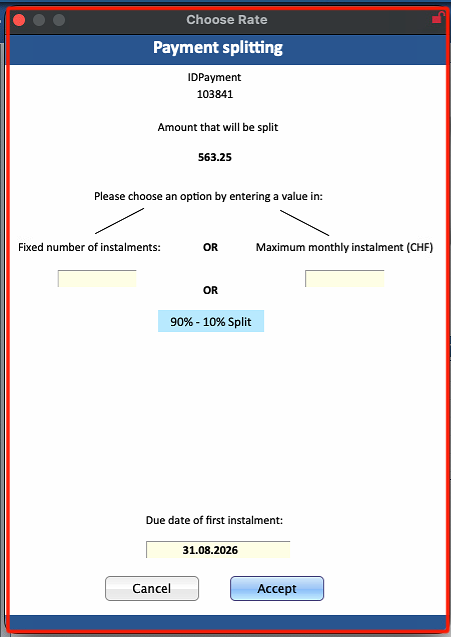
A new window will open to configure the installment plan.
3. Choose the Splitting Method
The bill can be divided using one of the following methods:
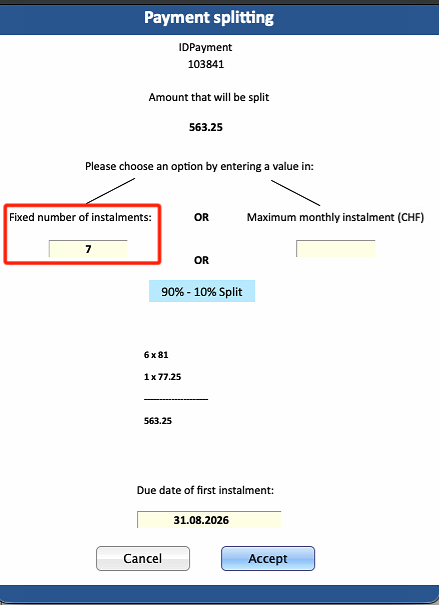
Fixed Number of Installments
- Enter the desired number of installments (maximum 9).
- The total amount will be divided as evenly as possible.
- Due to rounding, the final installment may be slightly lower than the others.
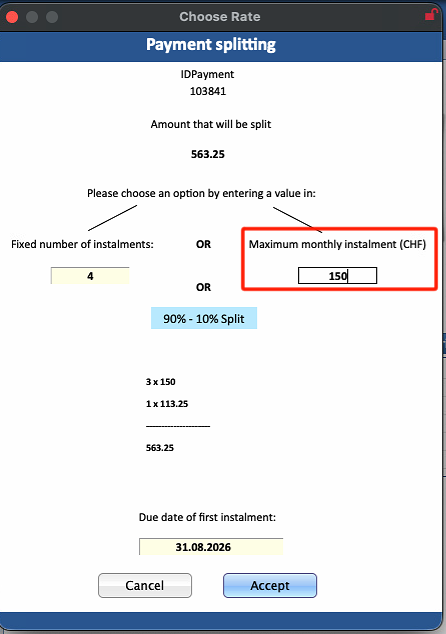
Fixed Installment Amount
- Enter the desired amount for each installment.
- All installments will have the same value.
- The final installment will automatically be adjusted to cover the remaining balance.
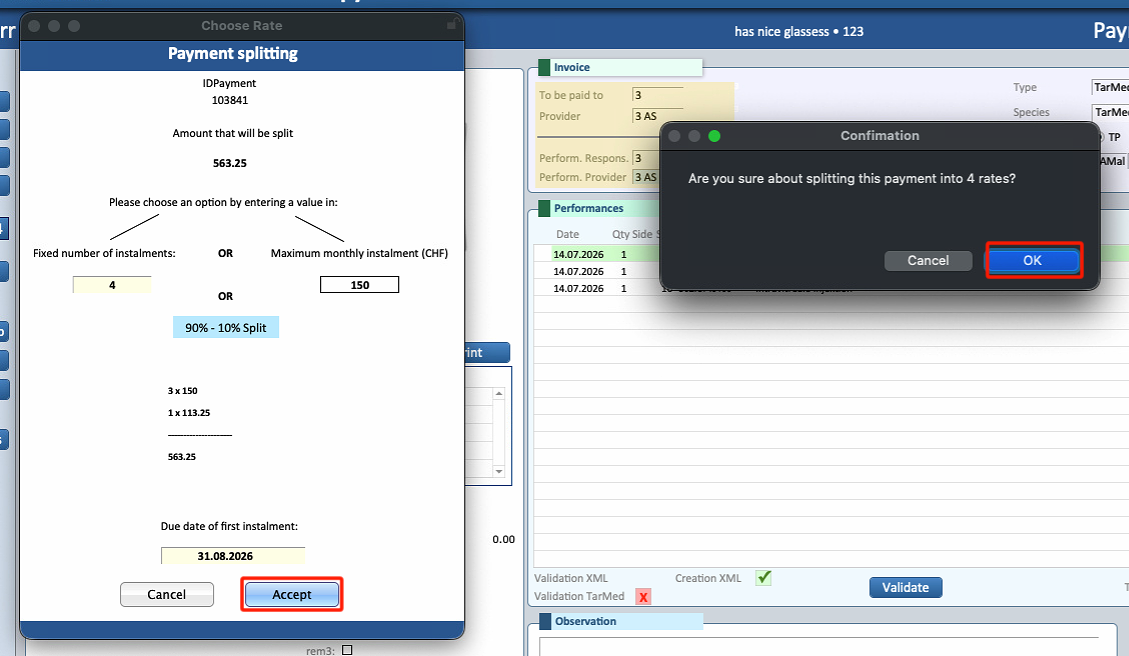
Once the desired option has been configured, press Accept.
4. Print the Installments
- Press Print.
- A window for additional material will appear.
- If no additional material is required, press OK.
- The first installment will be selected and ready for printing.
Print each installment and send them to the patient.
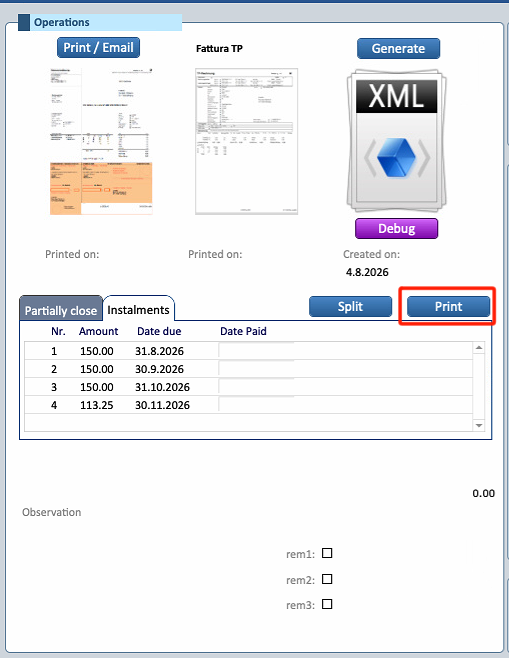
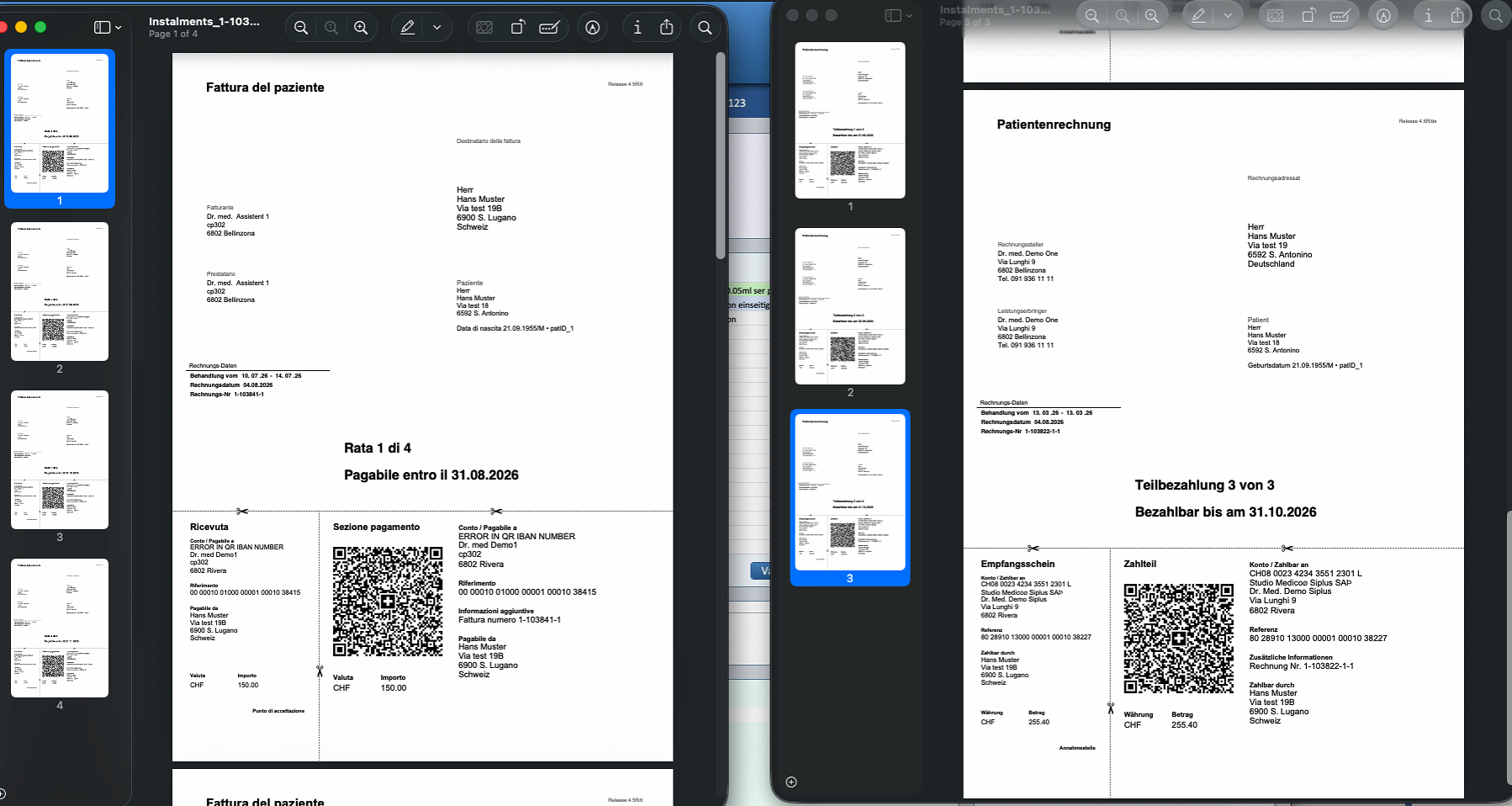
The bill has now been successfully split into installments.

