

Starting - 03. Add A Physician to a Pantient's Profile
Last updated: Mar 18, 2026
521
views

-
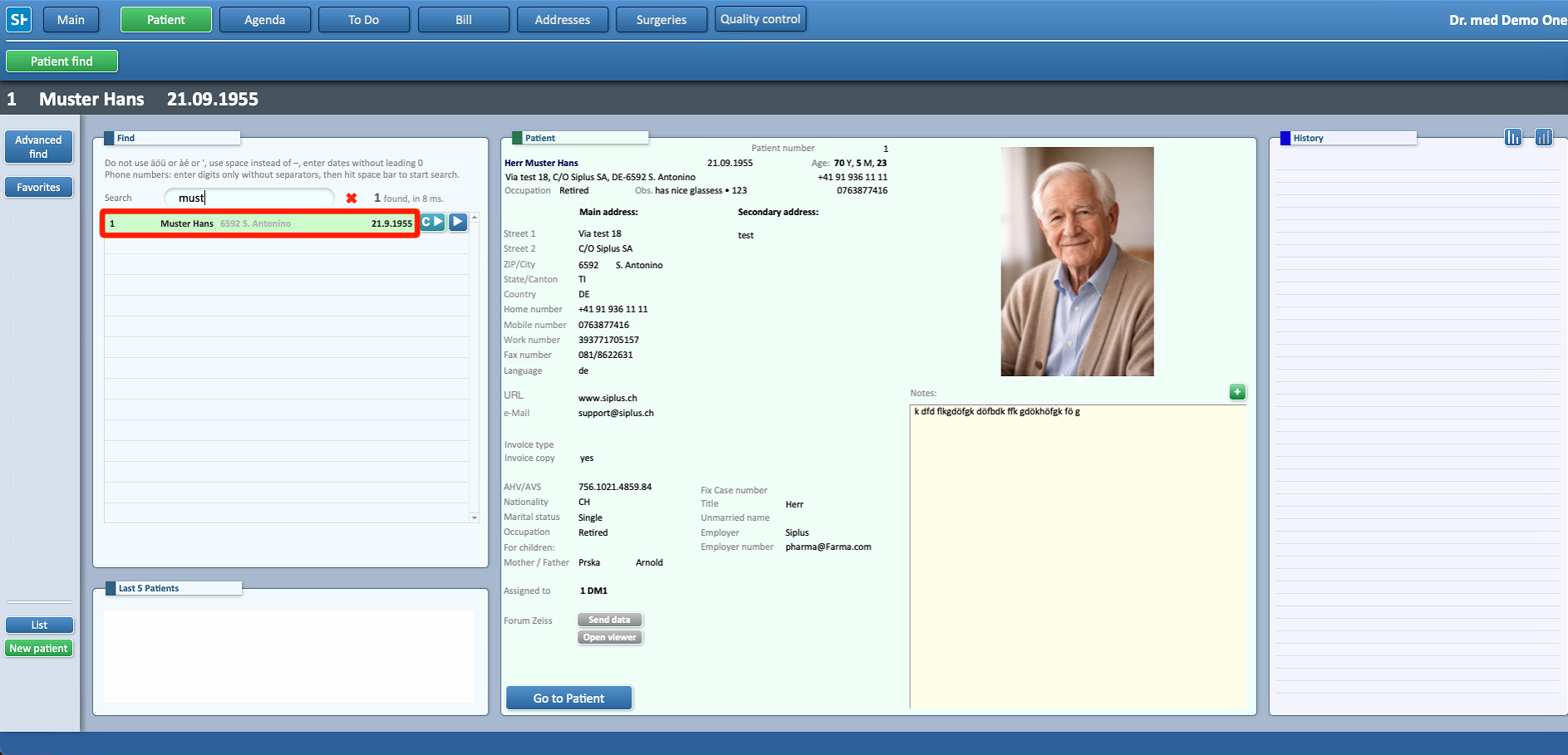
Access the patient’s profile by selecting Patients from the Main Menu, then search for and open the desired patient record

-
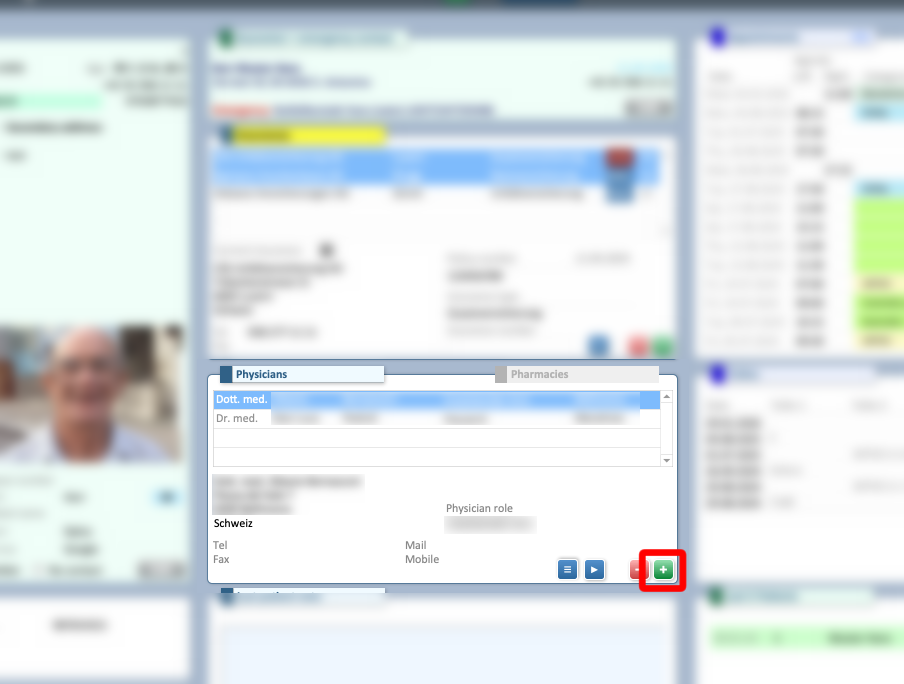
In the Physicians section, locate the second column and click the + button at the bottom right of the panel.
-
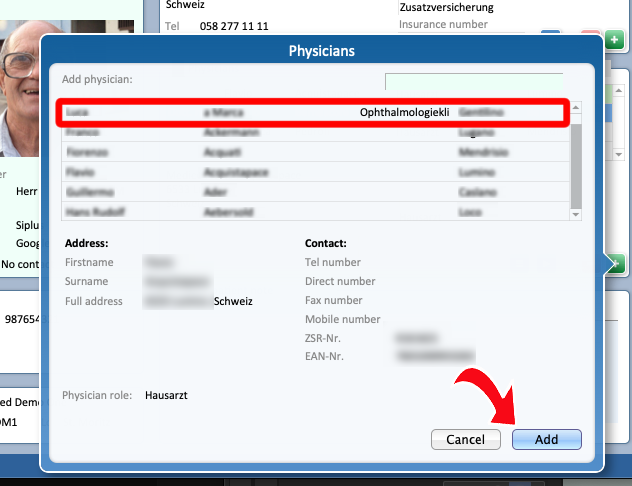
Select the desired physician and click Add to assign it to the patient’s profile.
-
The physician is now successfully added to the patient’s information.

