

Starting - 02. Add Insurance to Patient Profile
Last updated: Mar 18, 2026
509
views

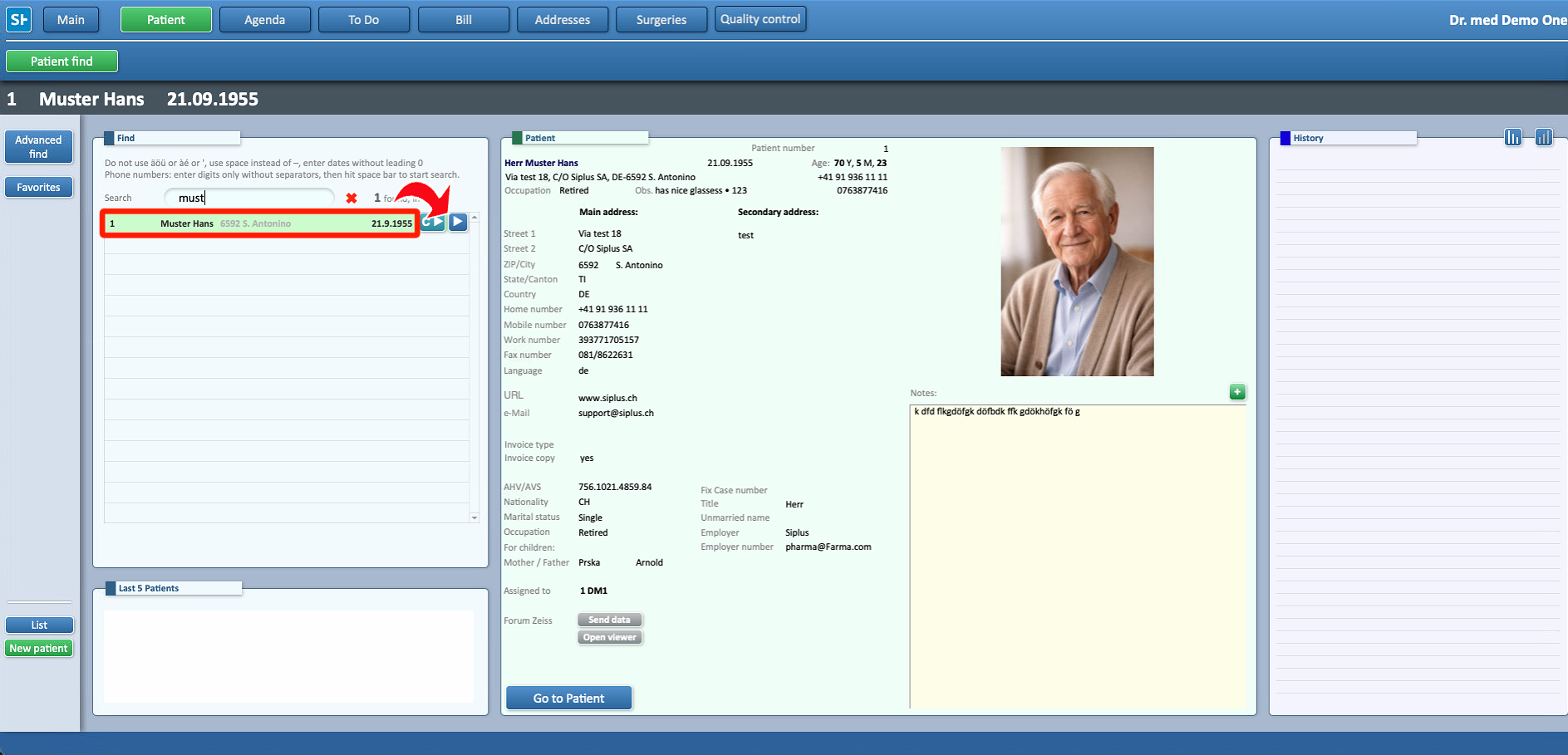
- To add an insurance to a Patient, first locate the right profile

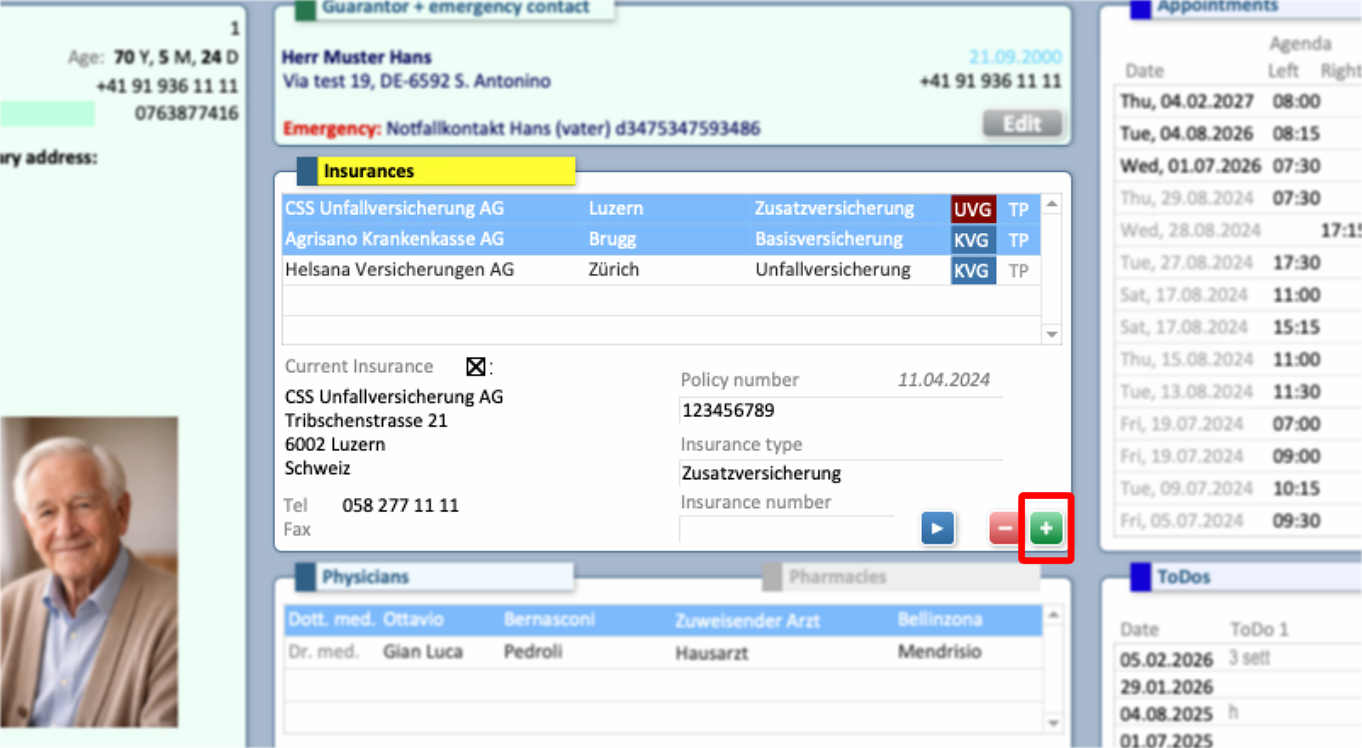
- After opening the correct Patient's record, Select + in the Insurances segment, to open the option menu
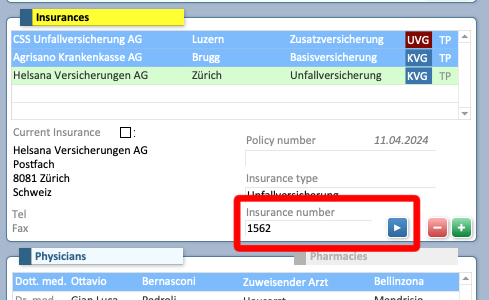
- ⚠ Changing this number may prevent the insurance from being recognized when the CardCover is read. If the insurance is not assigned automatically, manually enter the insurance number shown on the card to resolve the issue.
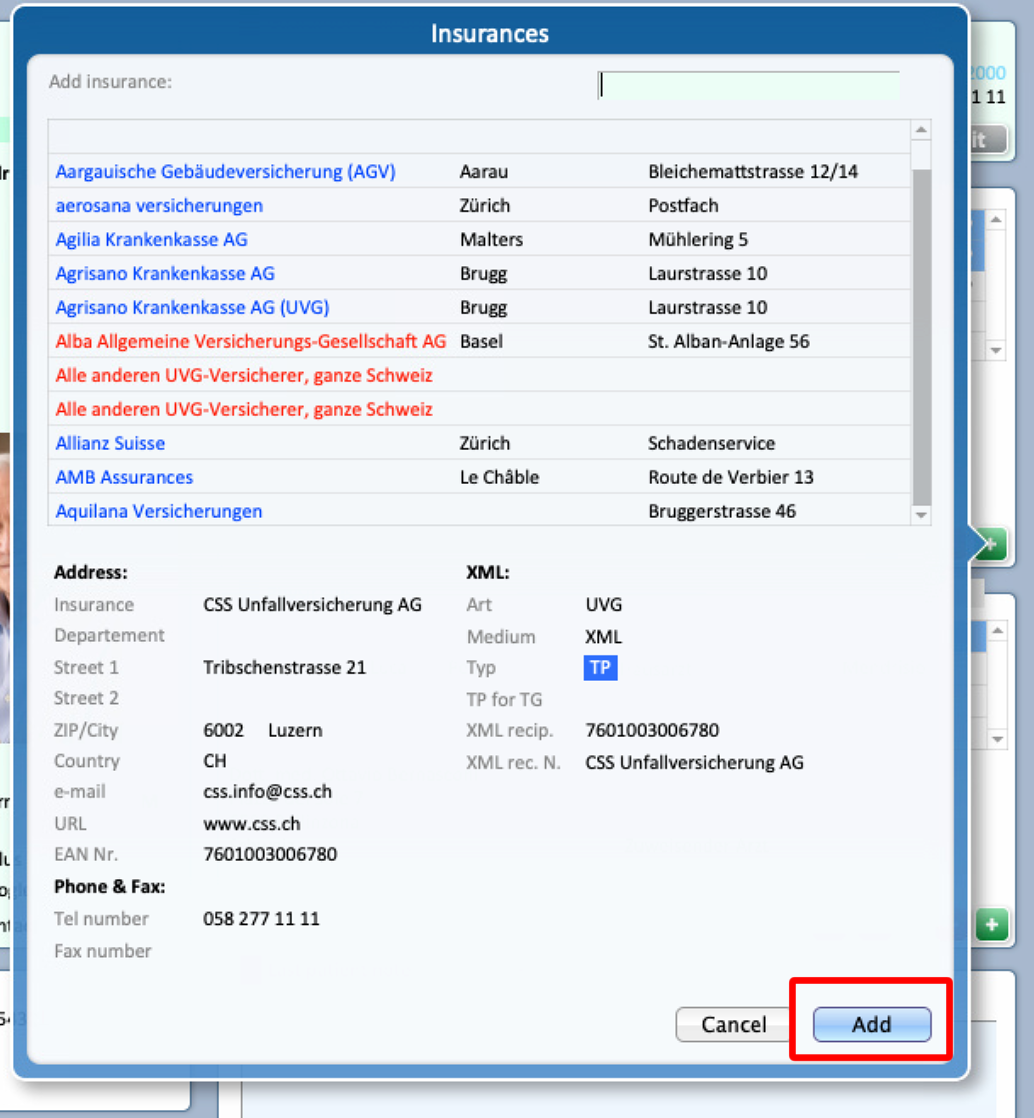
- Select from the list the desired Insurance to add it to the Patient's profile
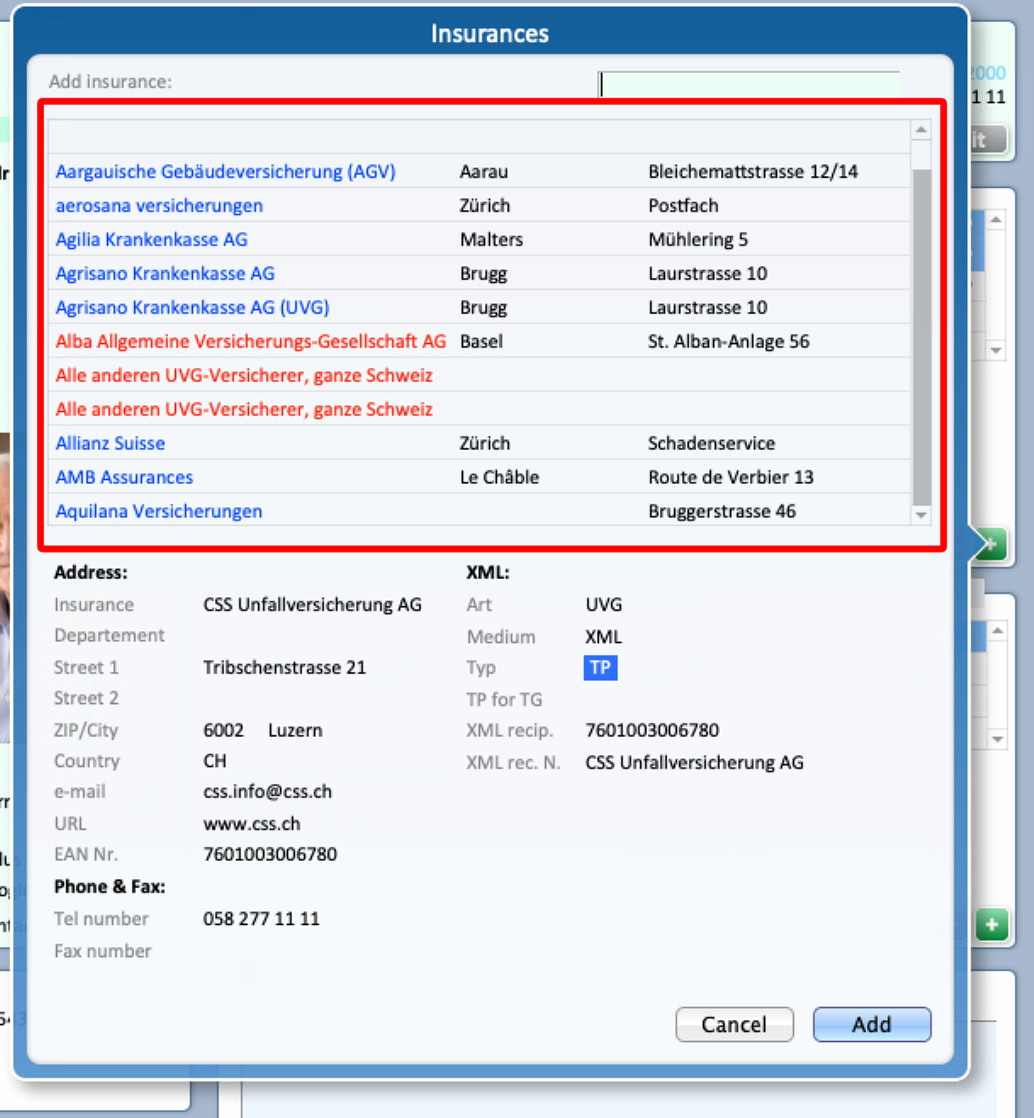
- Select Add to confirm the selection
⚠ If the Insurance is not present in the provided list, please refer to THIS GUIDE, to learn how to add a custom one

