


P/S - Empty Agenda - Appointments Not Showing

Mar 16, 2026
 1
1
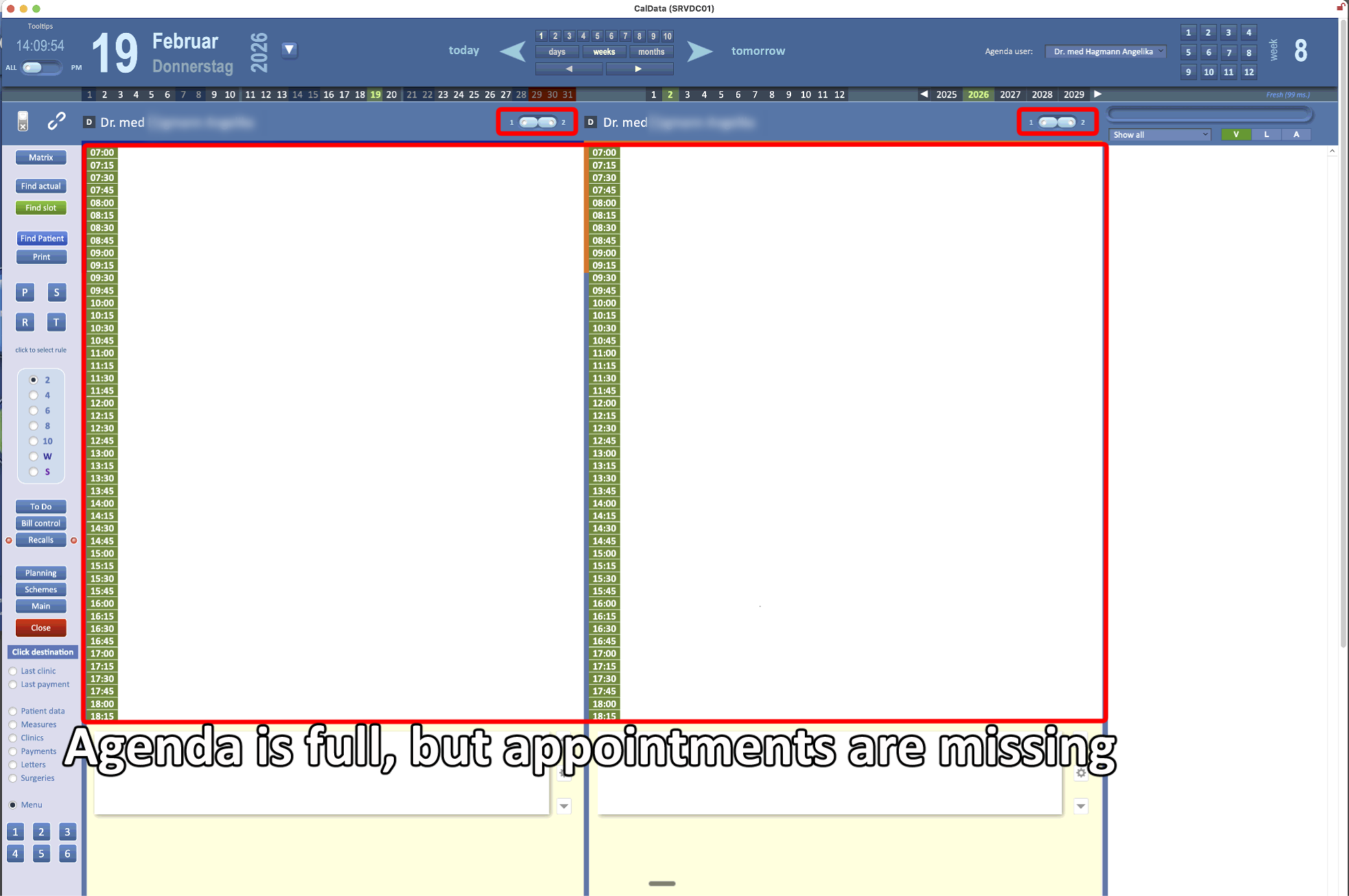
If the agenda is full of appointments but they are not visible, follow this process:
-
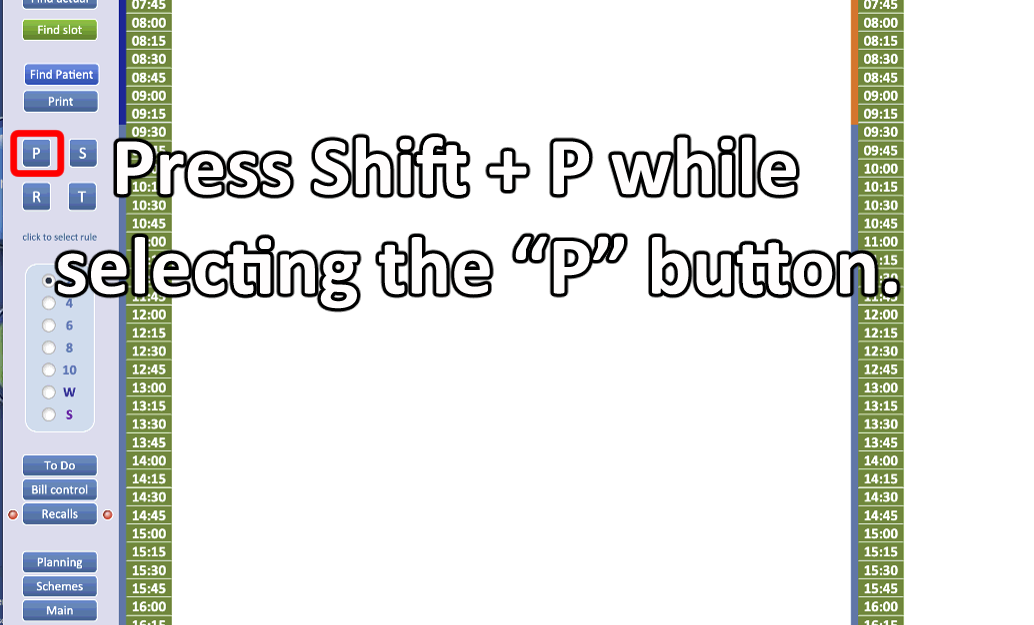
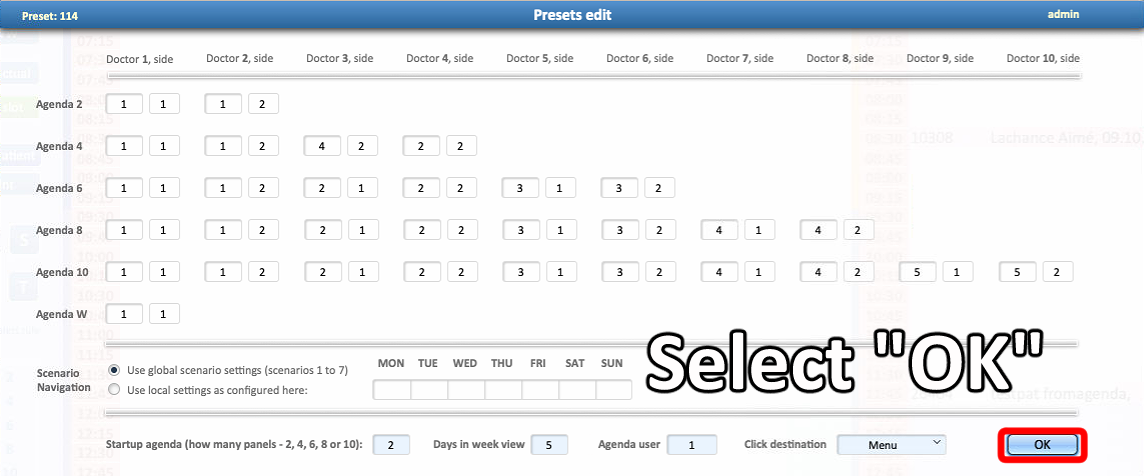
Click the P (Presets) button while holding Shift on the keyboard.
-
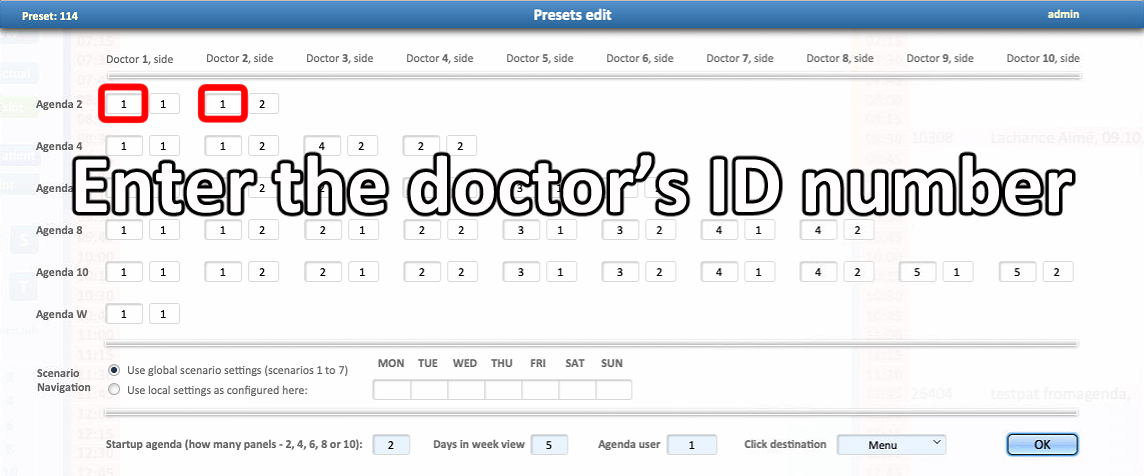
In the left fields, specify the doctor’s ID number in the agenda.
-
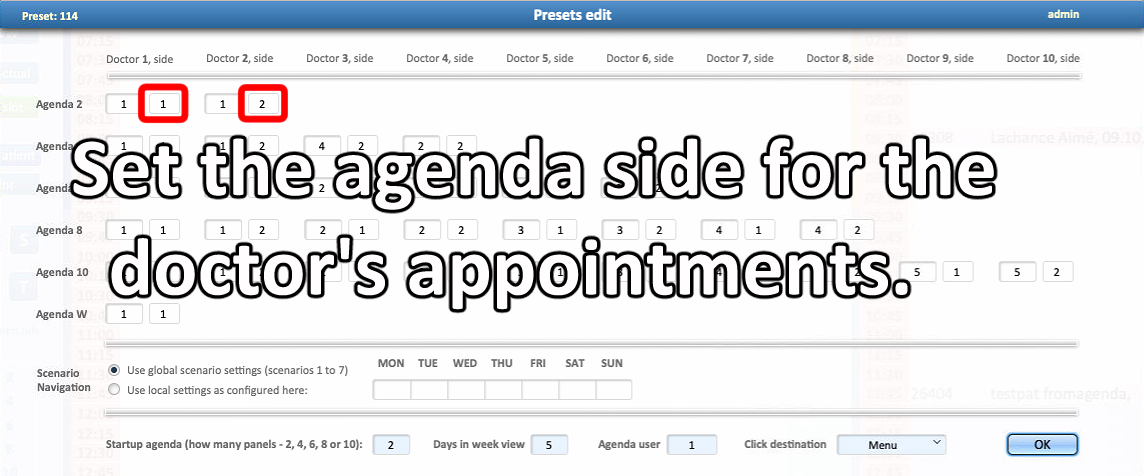
On the right side, specify the column where the doctor’s appointments should appear.
-
Once finished, click OK to close the window.
-
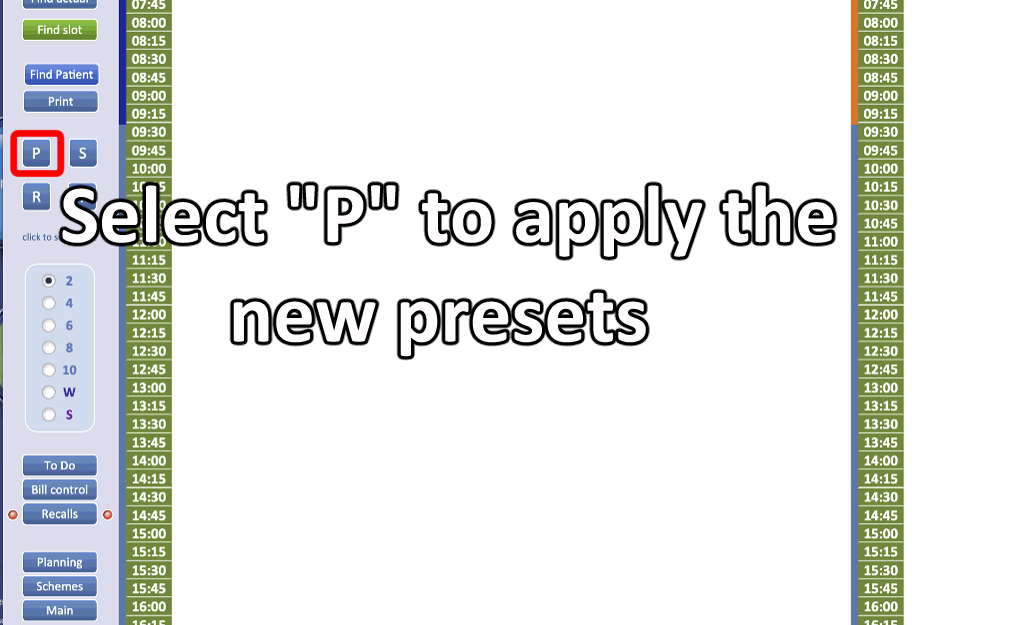
After the window closes, press “P” (Presets) again to apply the changes.
⚠ Columns can contain different doctors and can be configured for multiple columns using presets.

