68
68
Below you will find a list of the most common errors that the TardDoc Validator may return and their solutions.
To easily find your specific issue among the list of described errors, press and hold the keys Ctrl + F and search for your case within the listed items.
Select an image to enlarge it.
List of Validator's messages
- Canton Missing
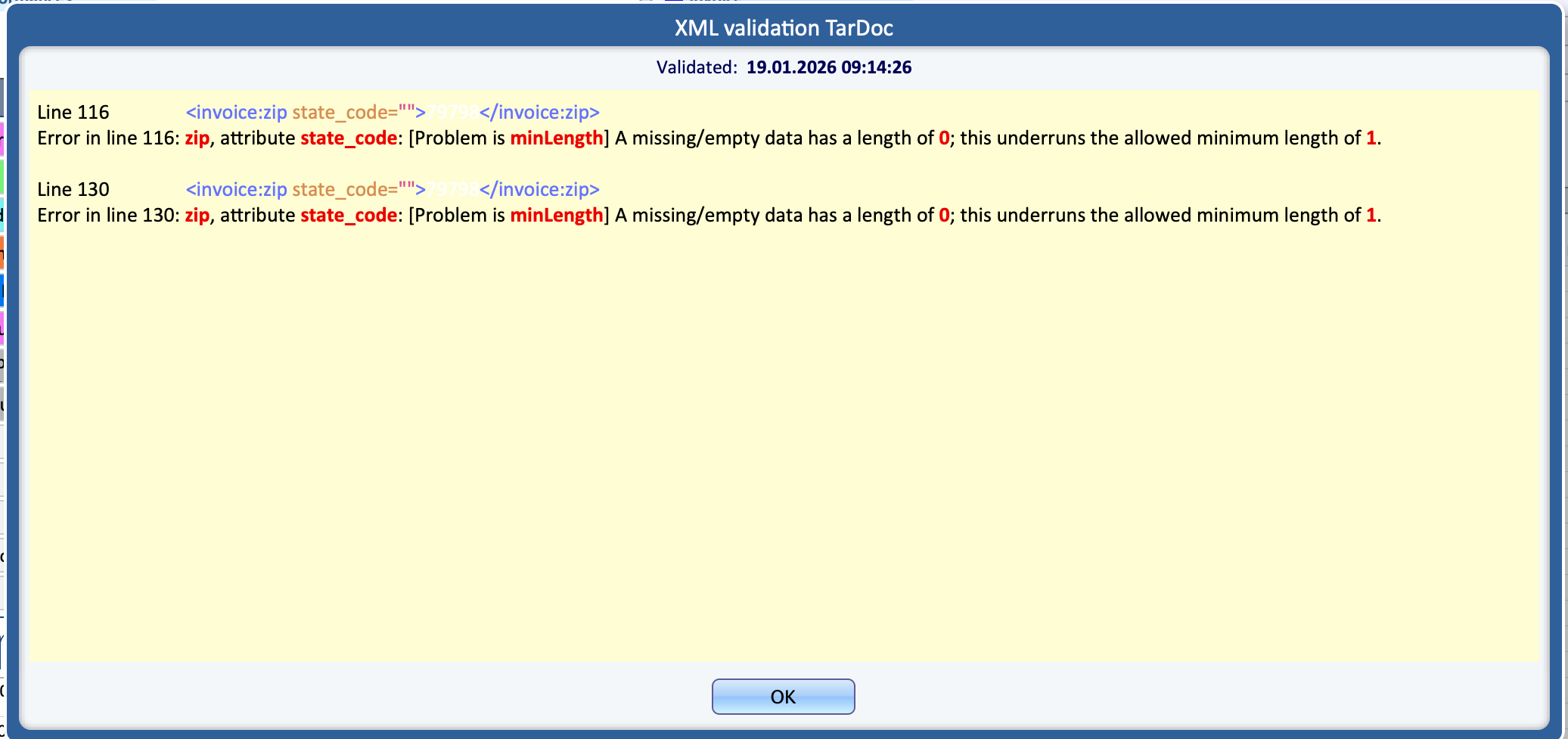
ERROR: line 116/130: zip, attribute state_code
Problem: The canton field for the Patient is empty or not provided in the submitted data.
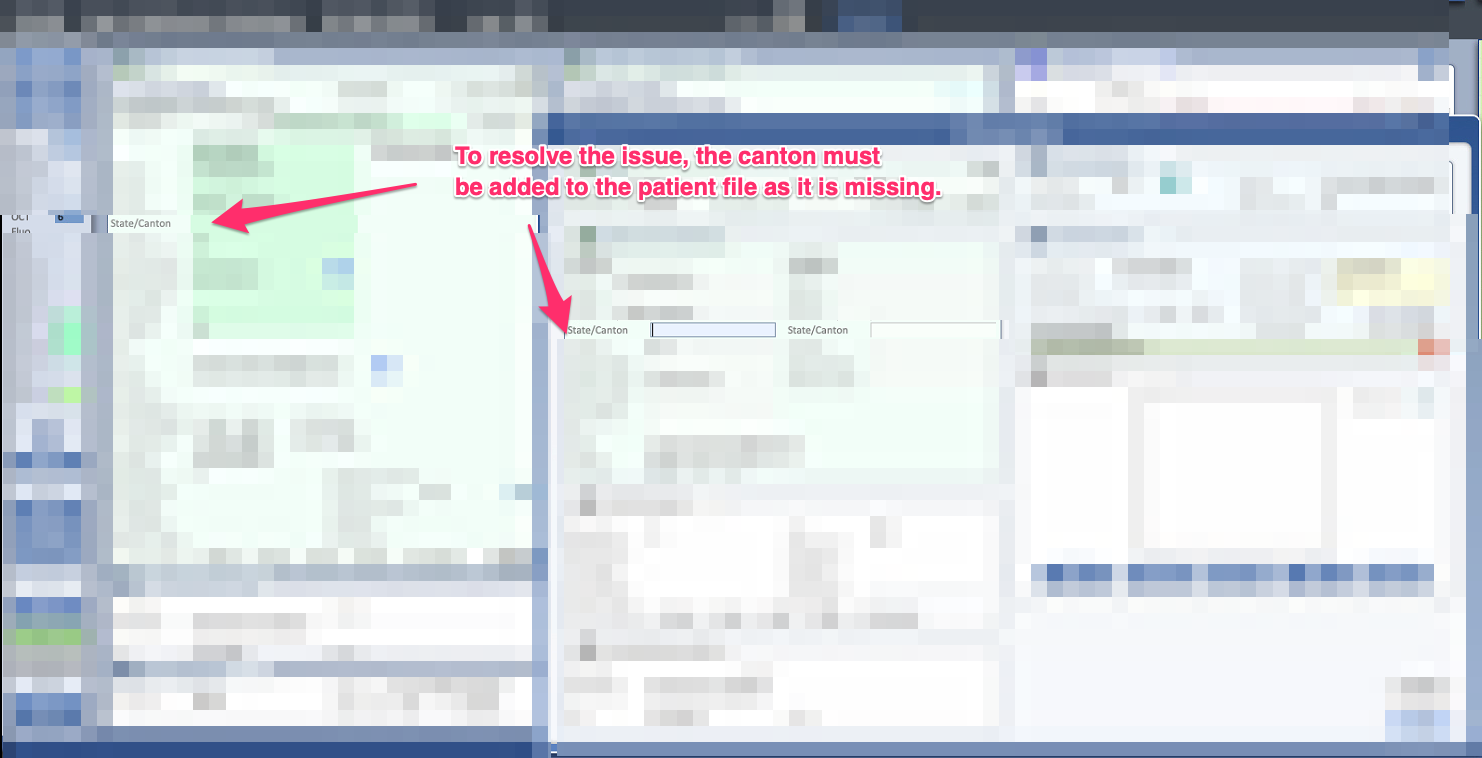
Solution: Make sure the patient’s canton is correctly filled in in the corresponding field before validating the invoice.
- Guarantor Canton Missing
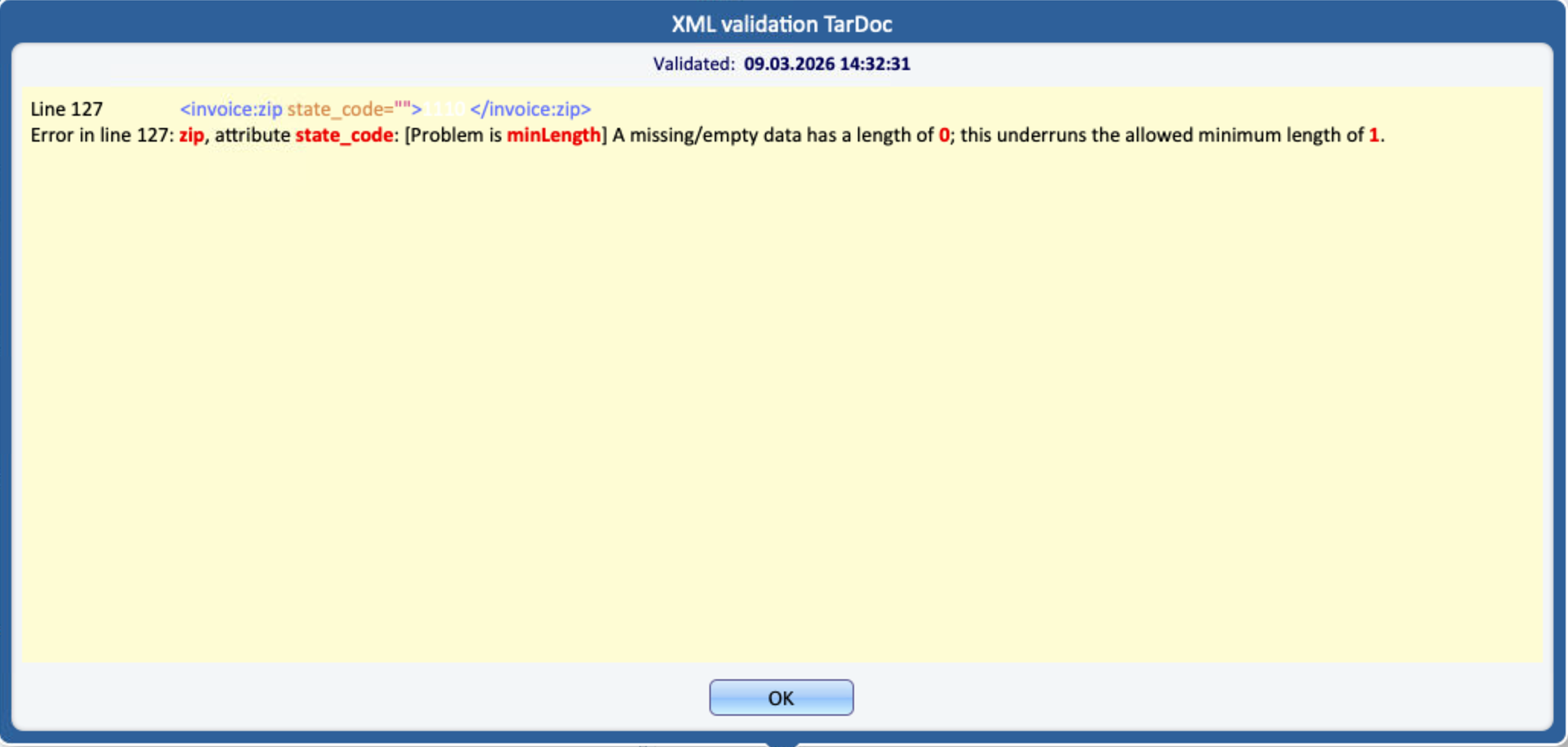
ERROR: line 127: zip, attribute state_code
Problem: The canton field is for the Guarantor is empty or not provided in the submitted data.
Solution: Make sure the guarantor’s canton is correctly filled in in the corresponding field before validating the invoice.
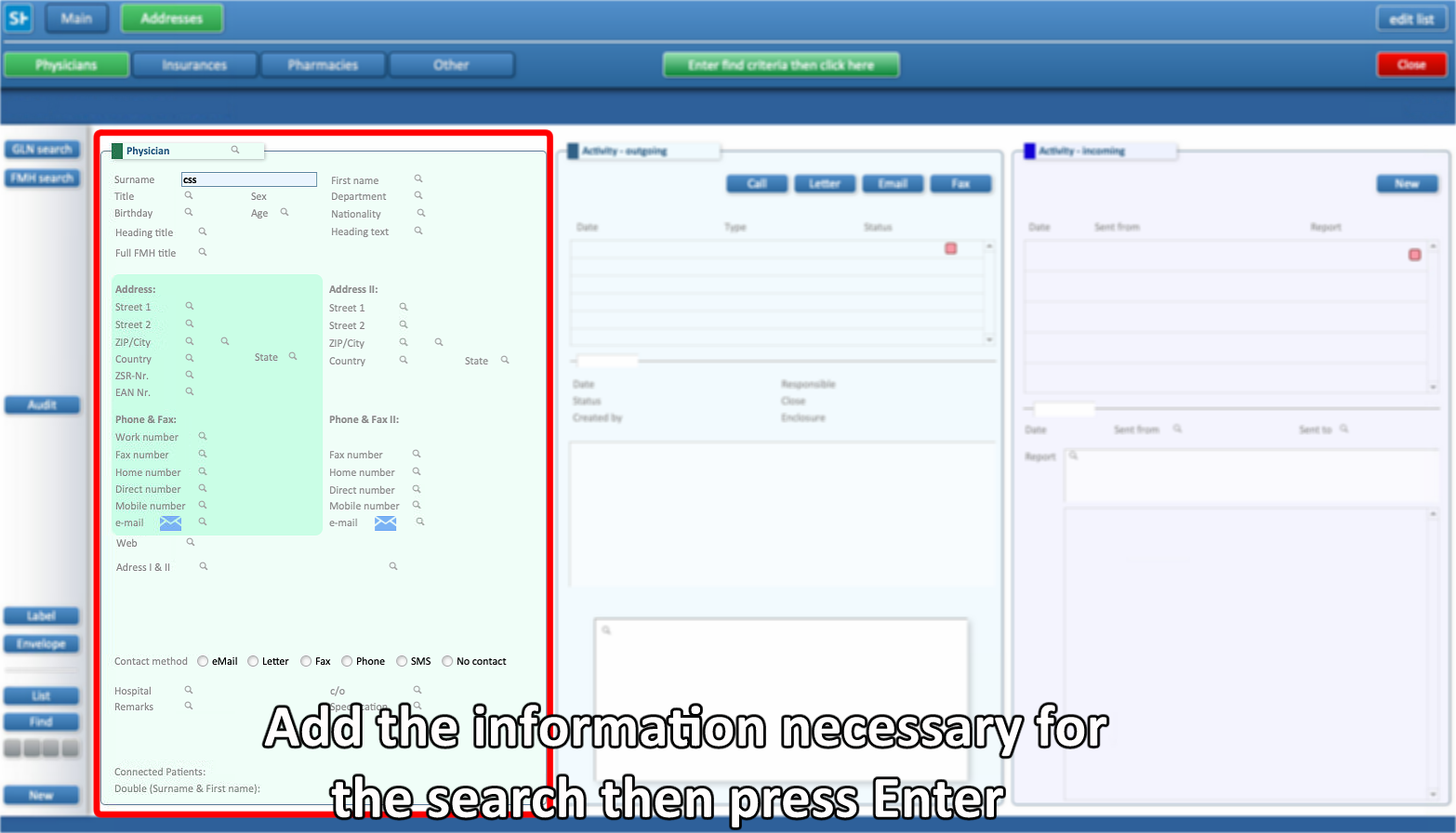
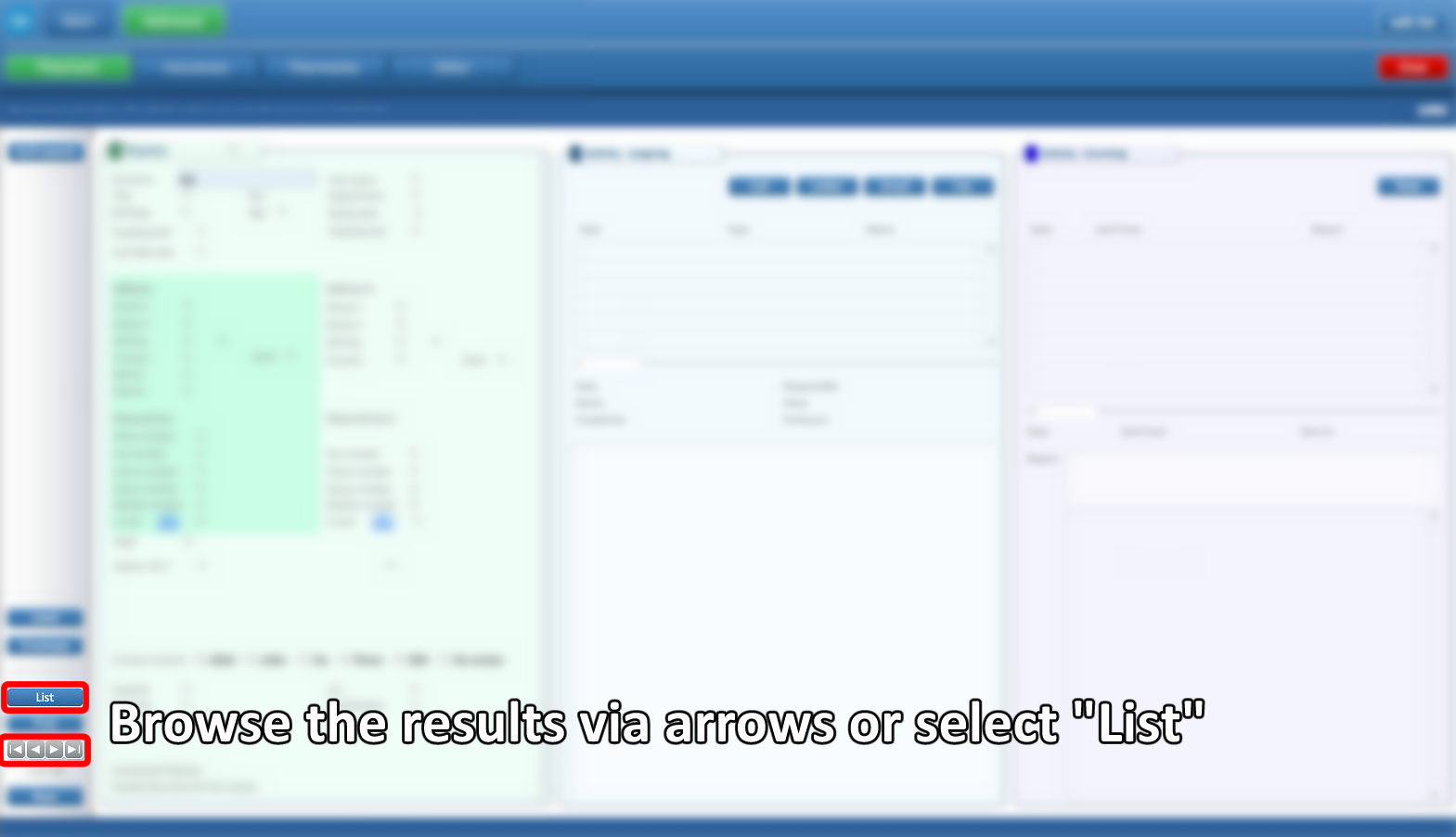
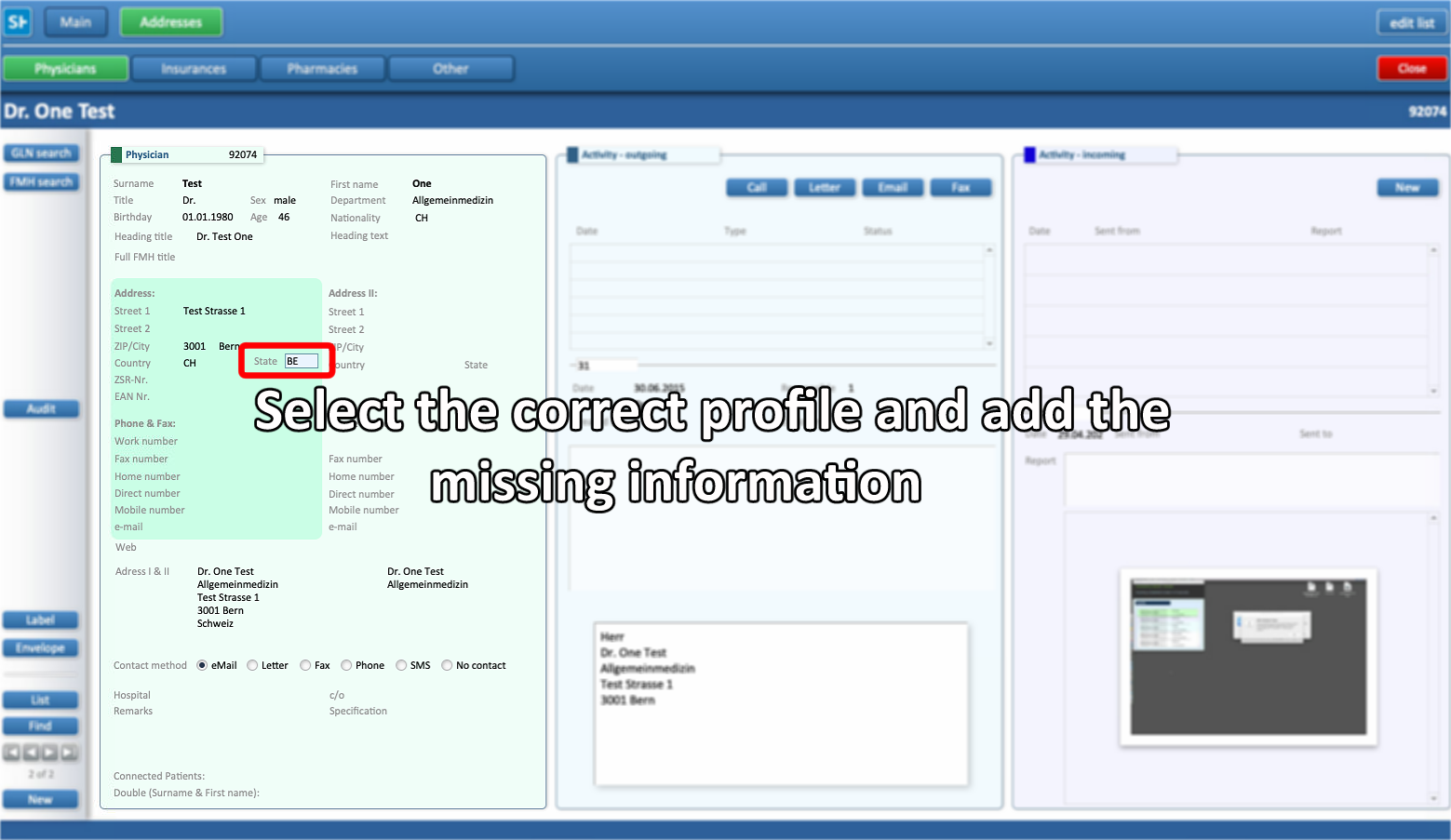
- Physician Canton Missing
ERROR: line 146: zip, attribute state_code
Problem: The canton field is for the Physician is empty or not provided in the submitted data.
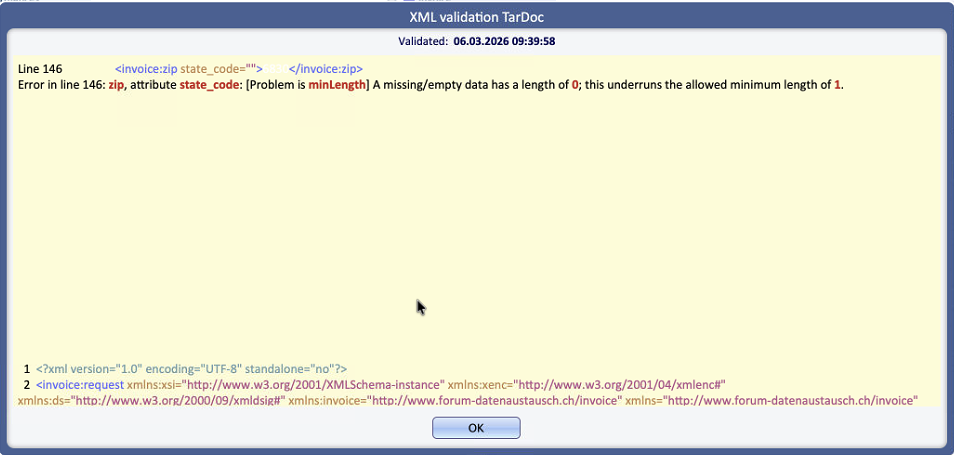
Solution: Add the canton in the right fields following the steps below
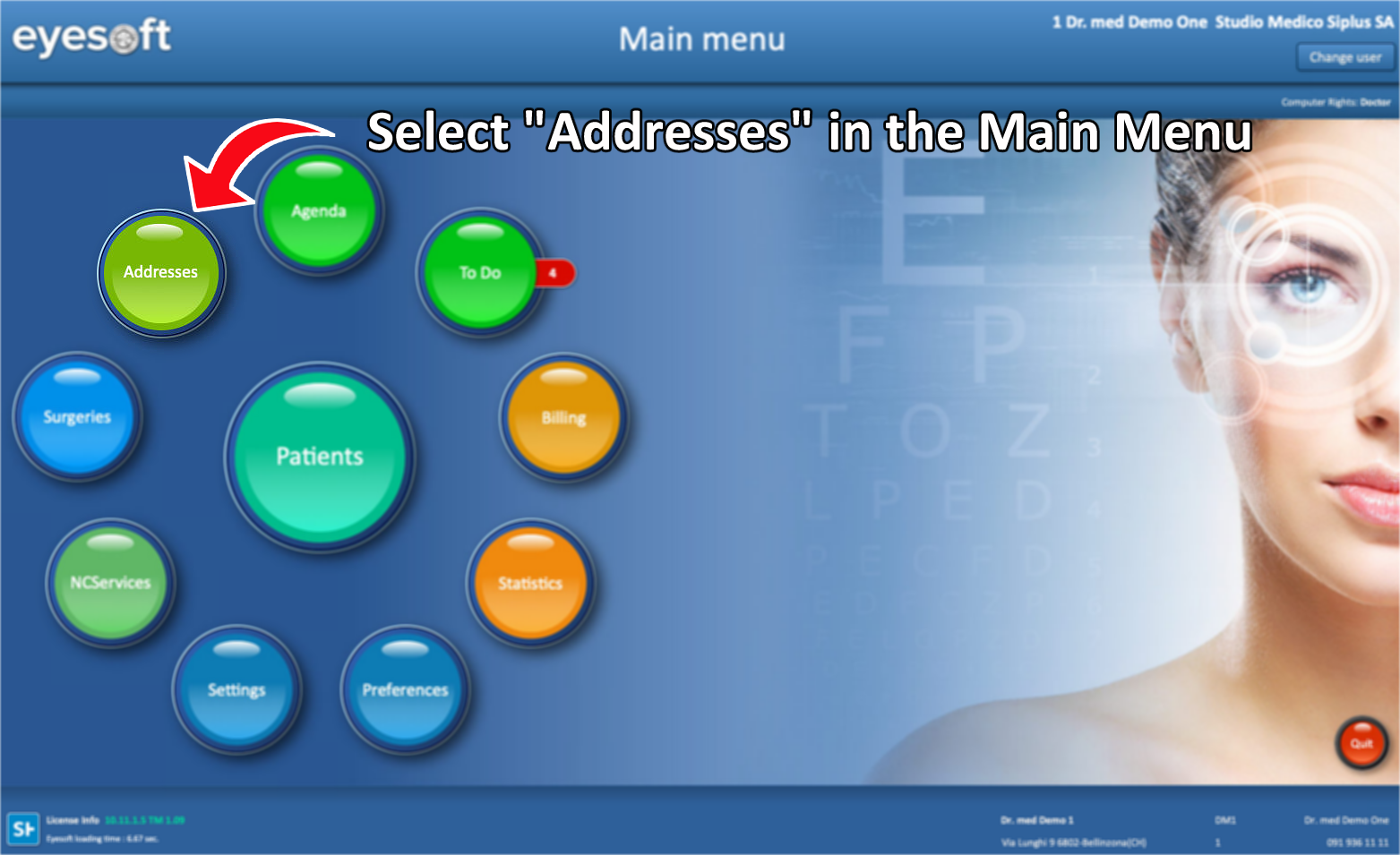
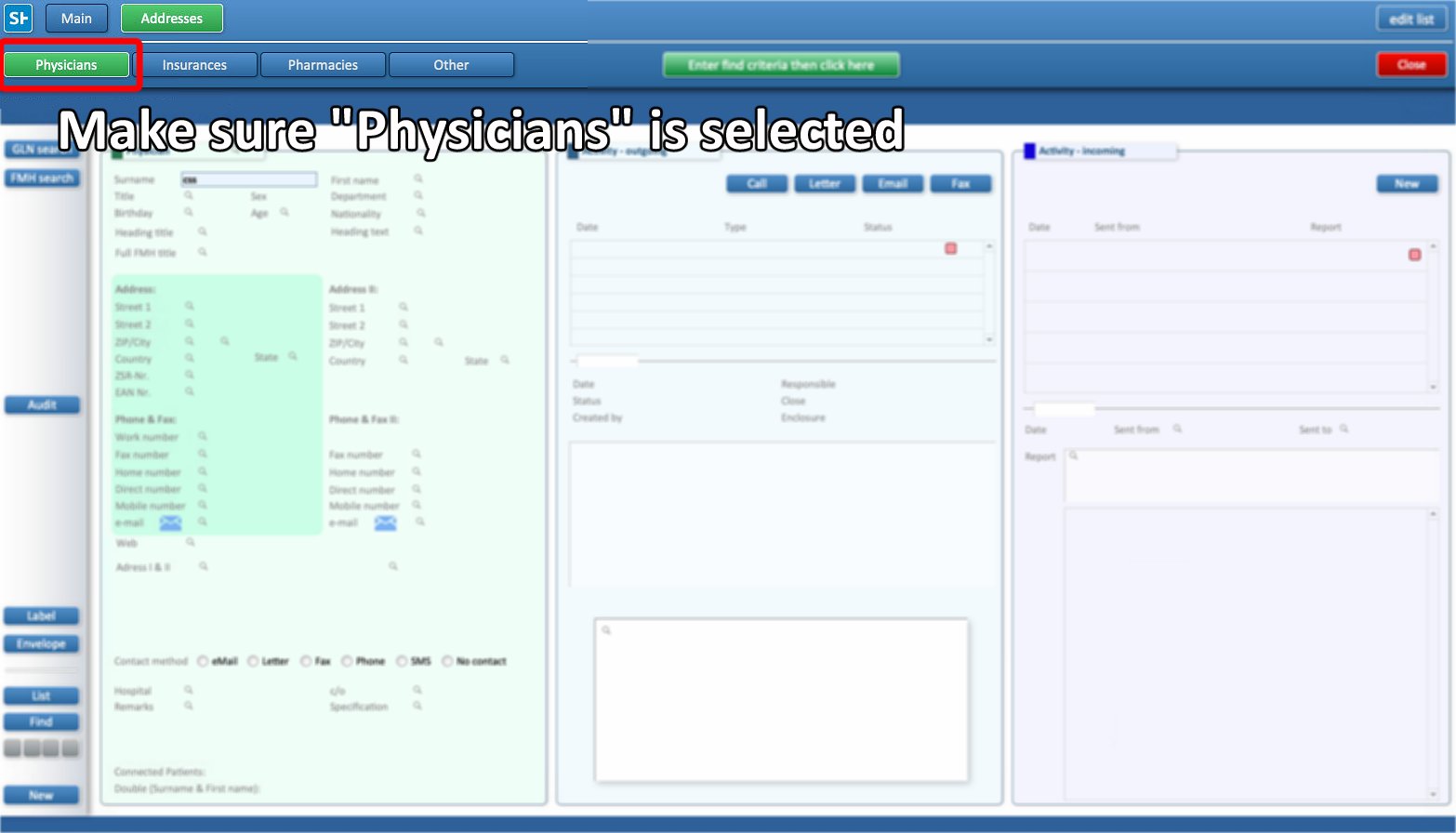
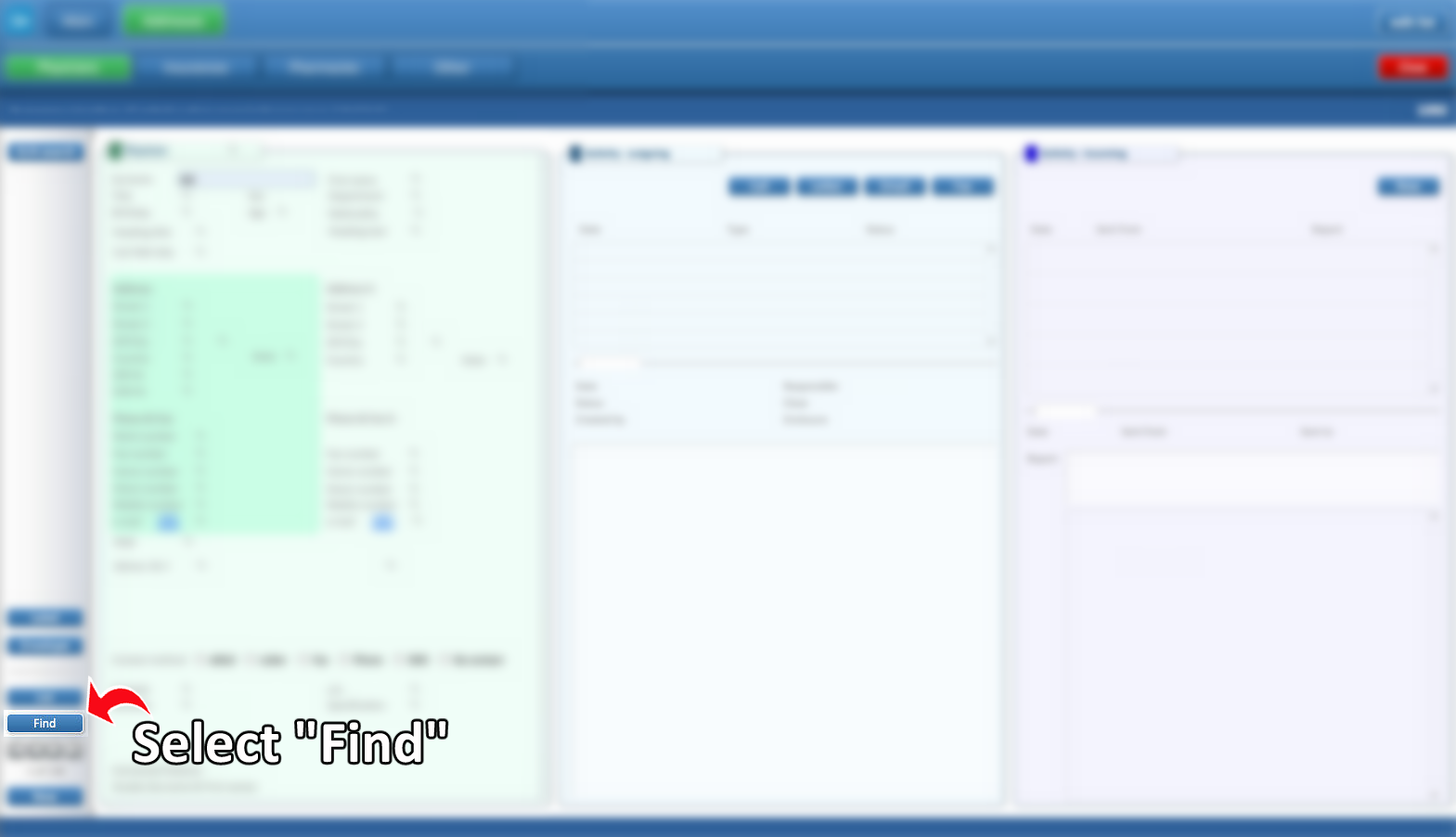
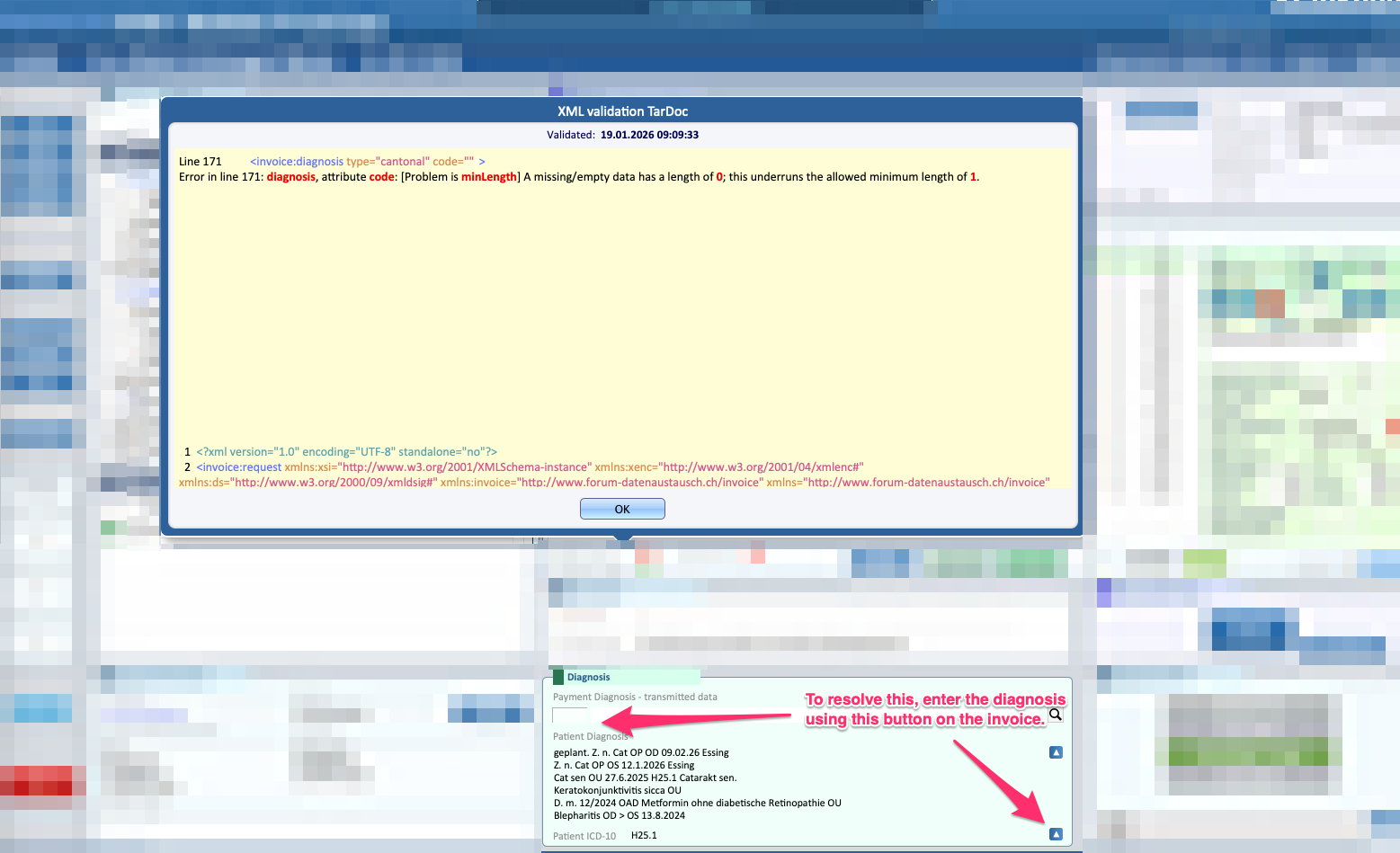
- Diagnosis Missing
ERROR: diagnosis, attribute code
Problem: The diagnosis field is missing or empty
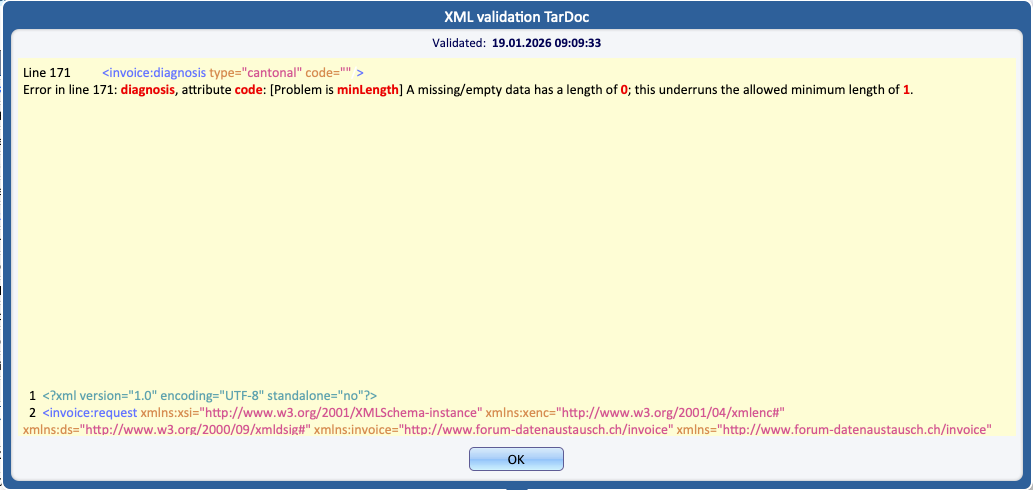
Solution: Enter a valid diagnosis description in the diagnosis field by clicking the appropriate button (image below)
- Invalid email format
ERROR: email
Problem: The email address does not contain the required @ symbol
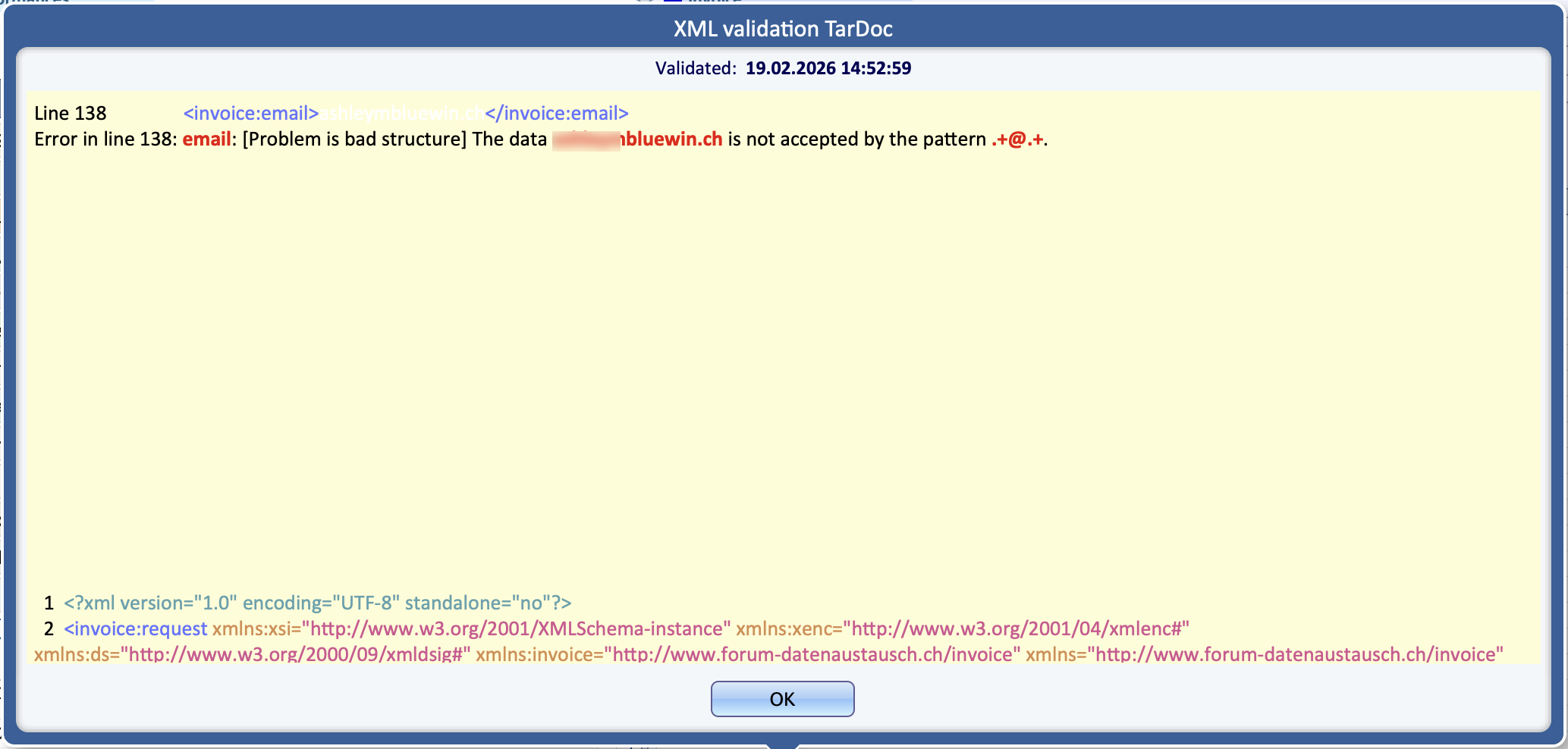
Solution: Add the missing @ in the correct position to fix the email address.
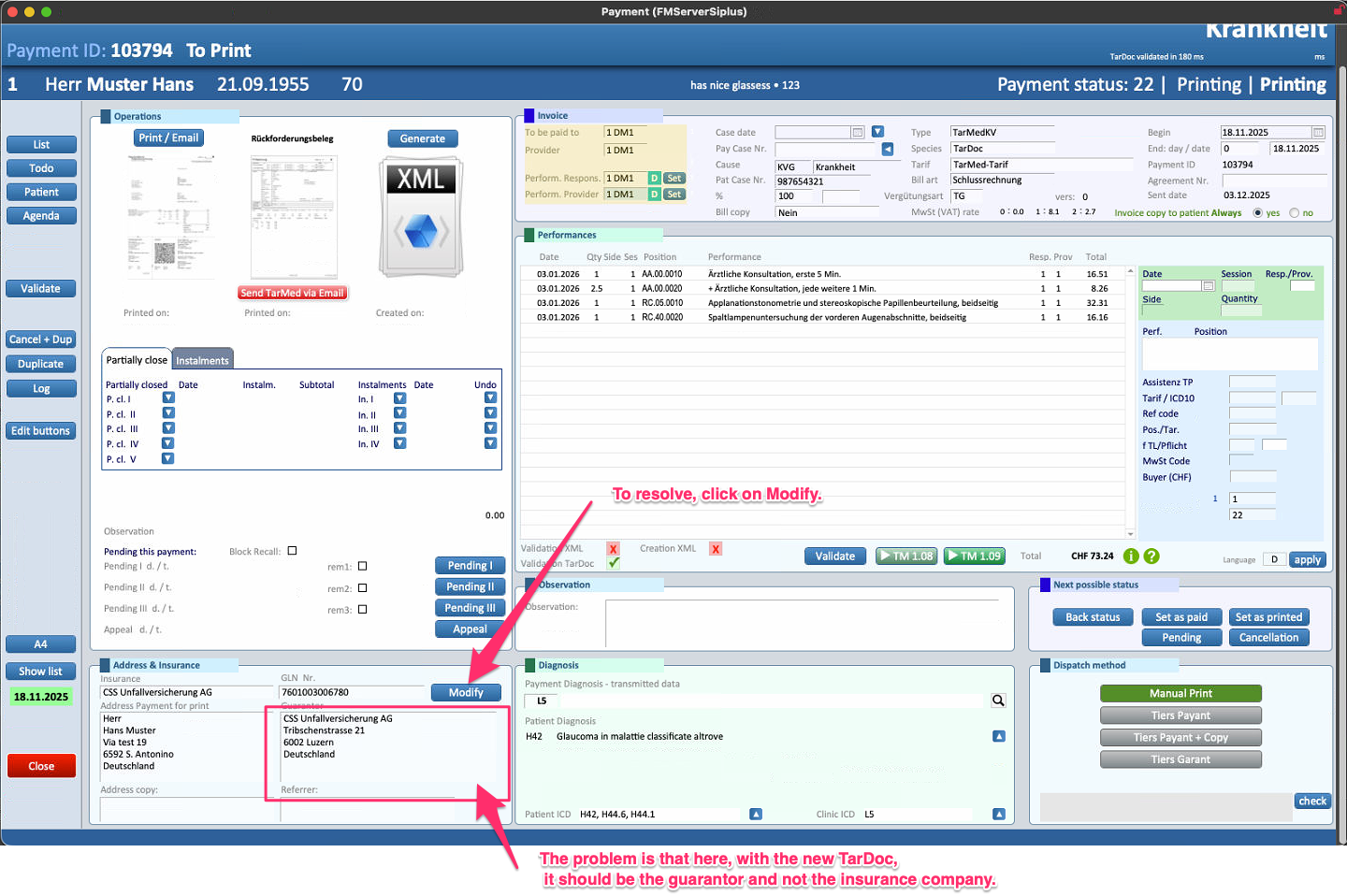
- Wrong FamilyName
ERROR: family name
Problem: The family name (last name) format is incorrect or does not match the expected structure
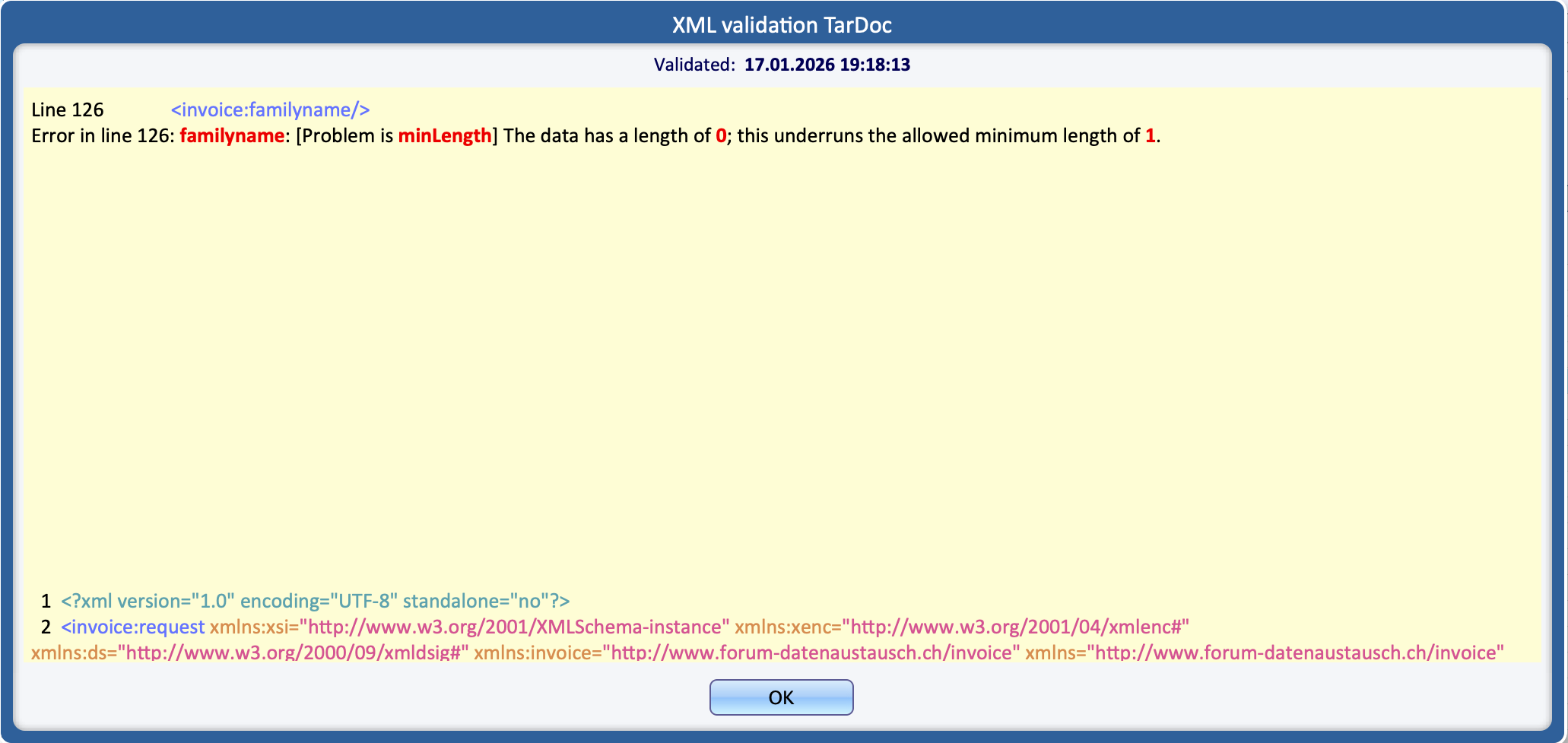
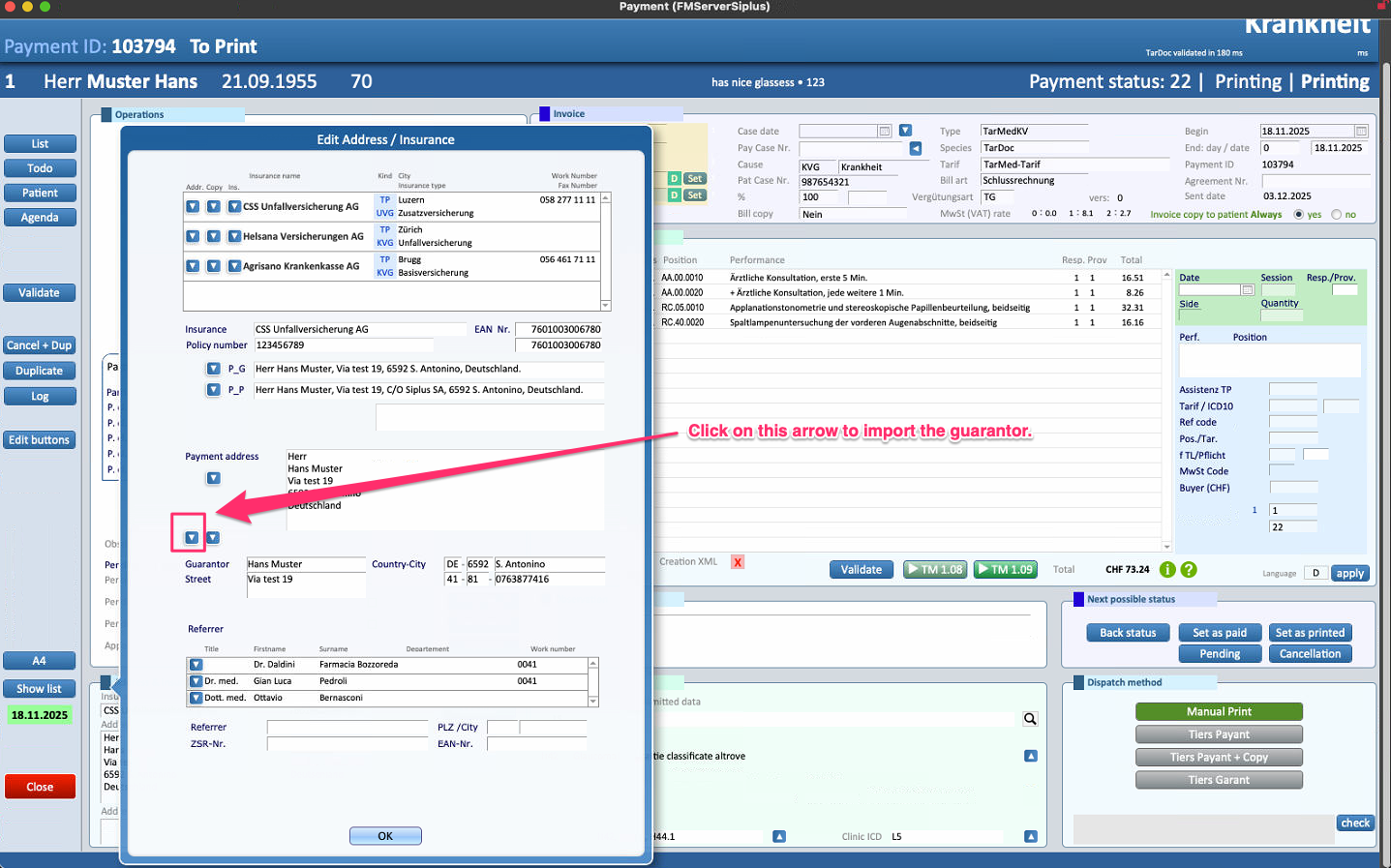
Solution: Verify that the name is set to the garantor and not the insurance company. Select Modify and press on the arrow right above the Garantor field to import the corrent data
- CoverCard Number Missing
ERROR: law, attribute card_id
Problem: The cover card number has not been provided in the required field
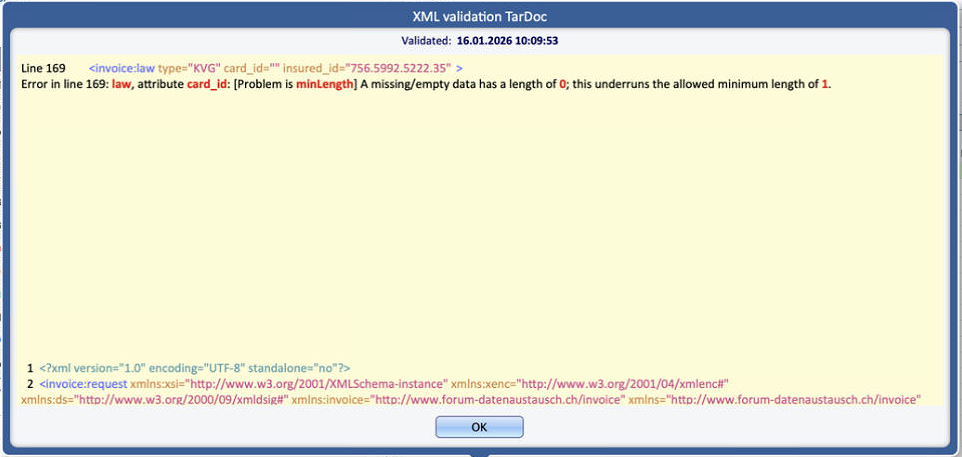
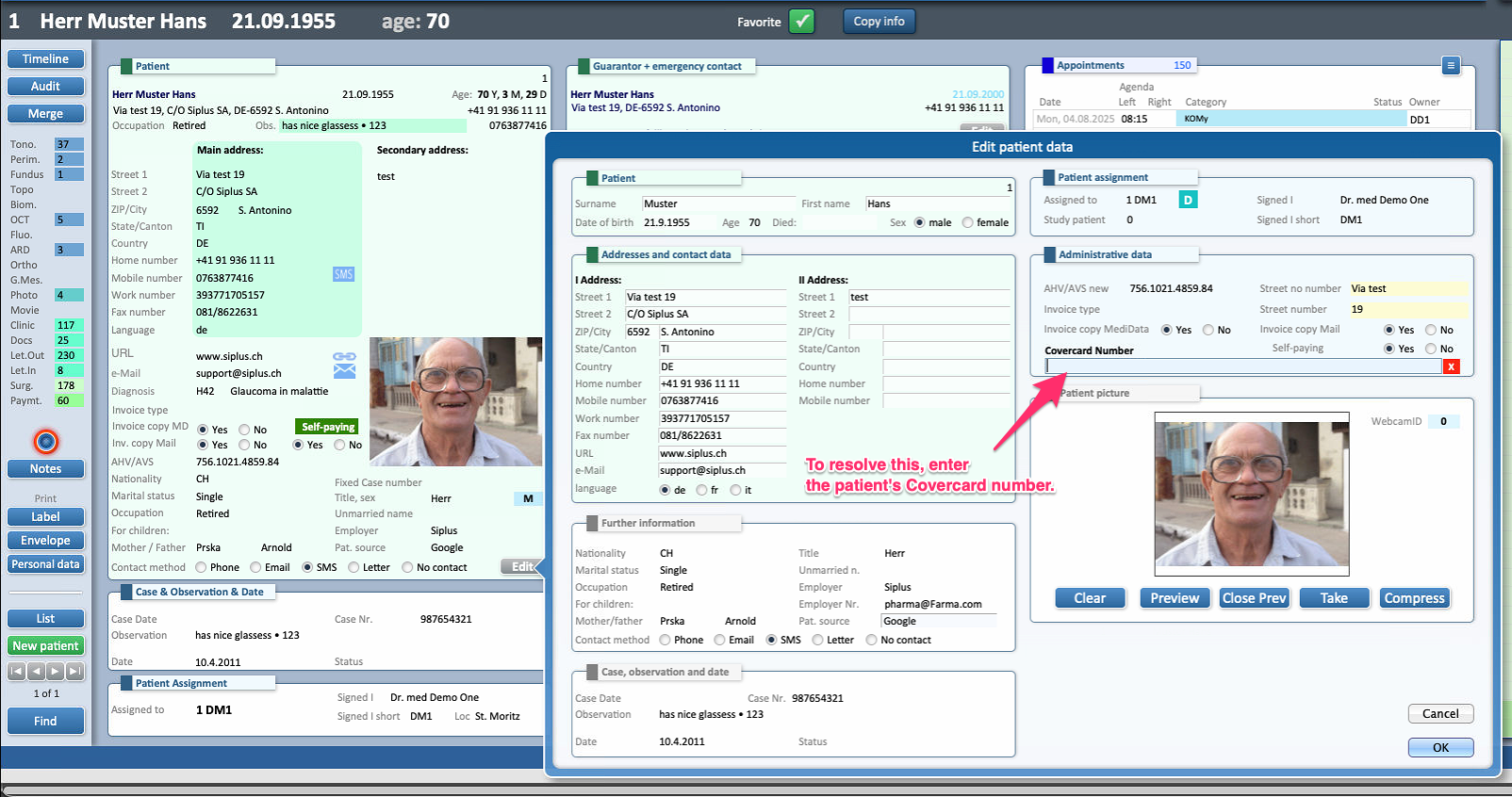
Solution: Add the correct cover card number and ensure the field is not left empty before validating again
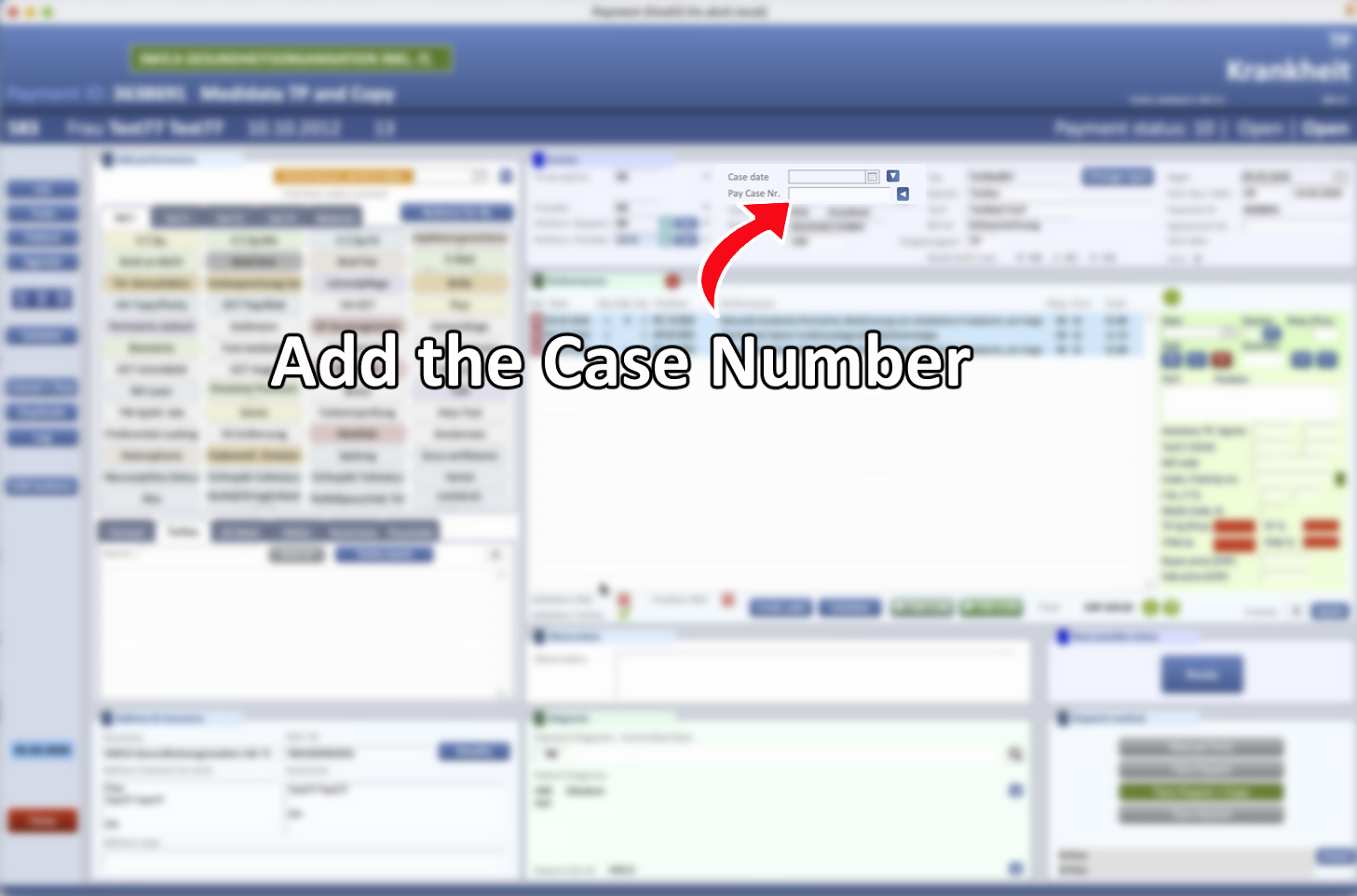
- UNFALL: Case ID Number Missing
ERROR: law, attribute case_id
Problem: The number for the case has not be filled in the required field
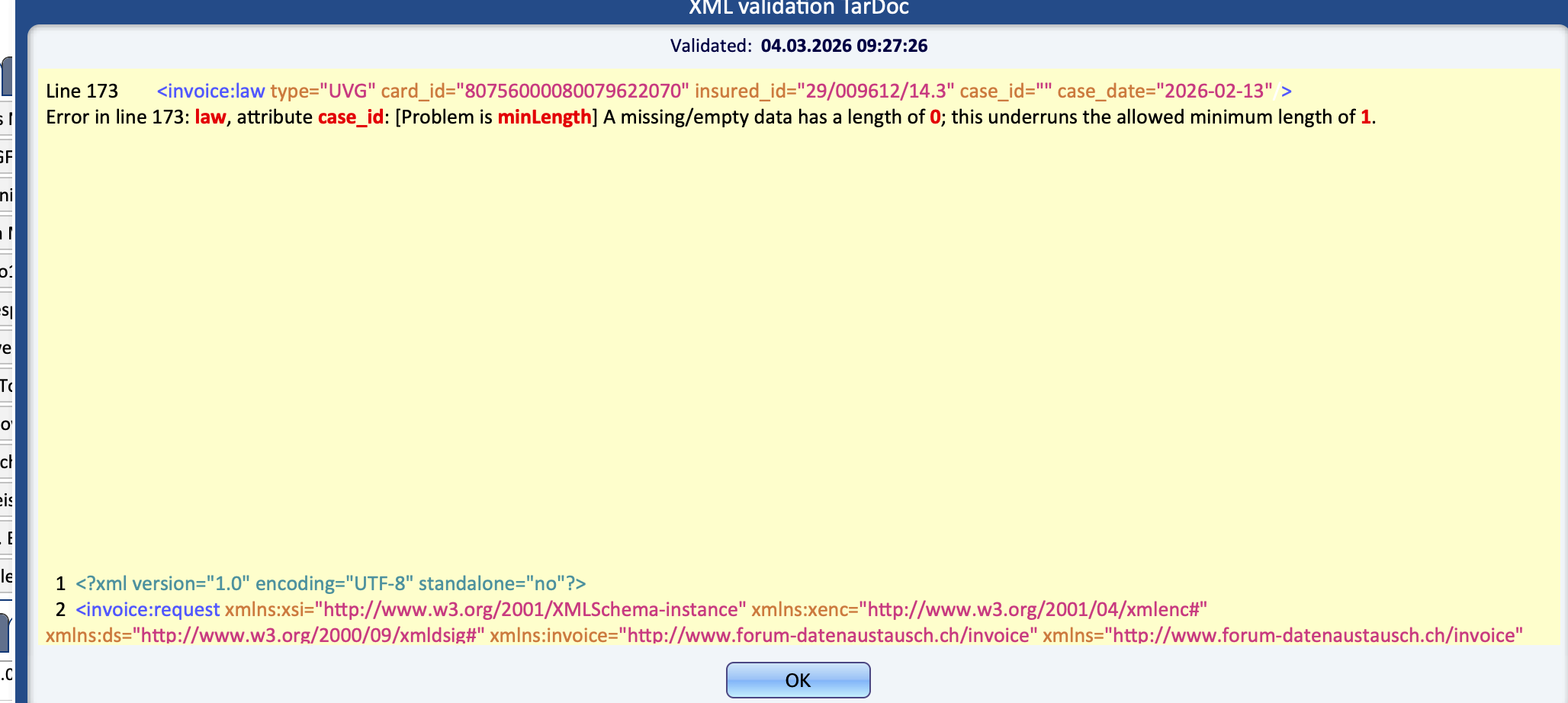
Solution: In the patient profile, go to the Payments section. Open the invoice related to the issue and enter the case number in the “Pay case nr.” field
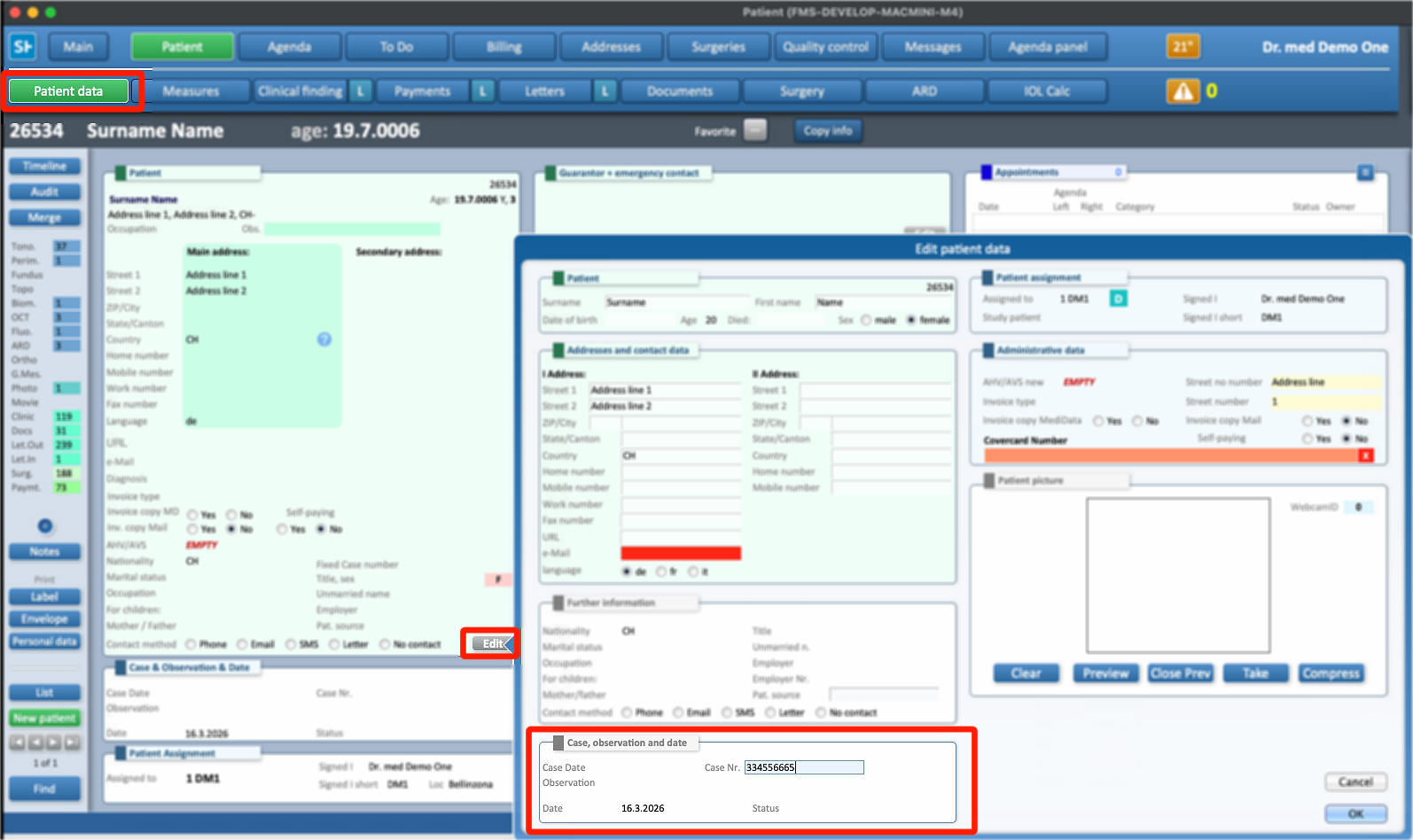
- INVALIDITY: Case ID Number Missing
ERROR: law, attribute case_id
Problem: The number for the case has not be filled in the required field
Solution: Add the Patient's case number directly in the Patient data
- AHV/AVS and Covercard Number Missing
ERROR: patient, attribute ssn
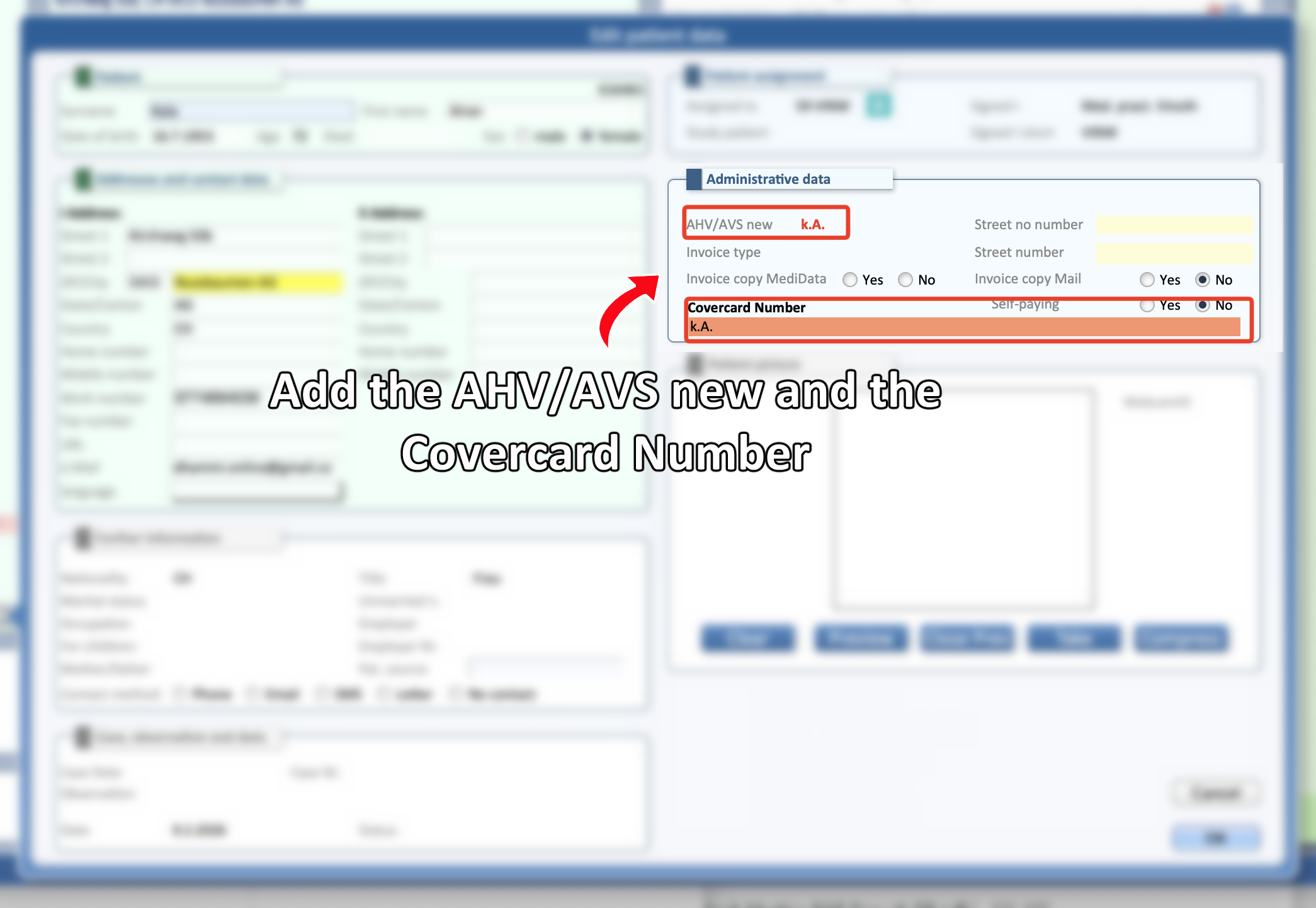
Problem: Both the fields AHS/AVS new and Covercard Number have values not accepted by the validation.
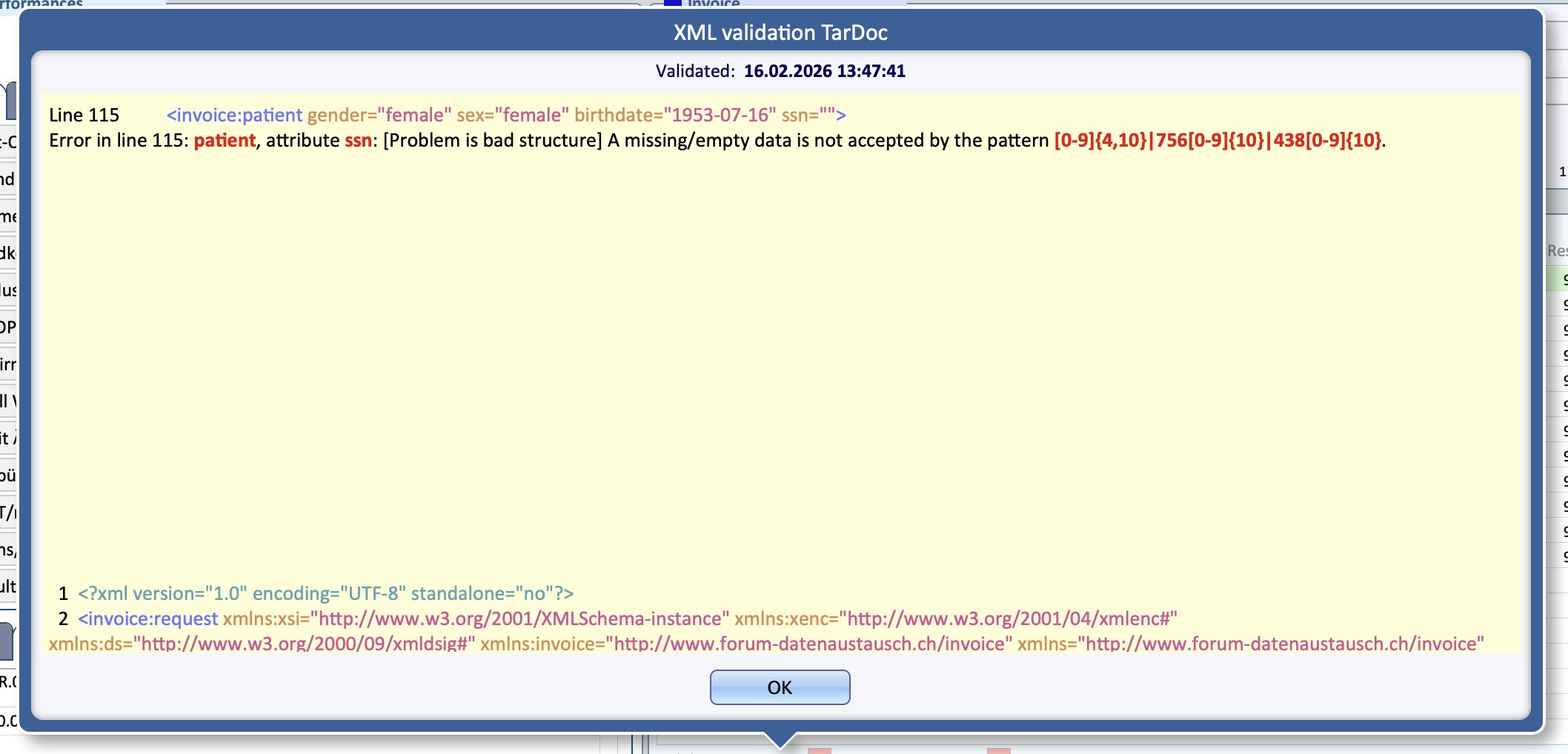
Solution: Check and add the correct value in both AHV/AVS new and Covercard Number fields.
⚠ In the occurrence that both numbers should be empty due to the patient being a self-payer, bypass the check of the Validator by using the code 7560000000000