


 29
29
With the introduction of the new TarDoc, some services converted using our conversion tool may show a value with a decimal point of .5.
To resolve this issue
a. If the performance is already included in the invoices, you must define an integer value for the quantity, as explained in the screenshots below.
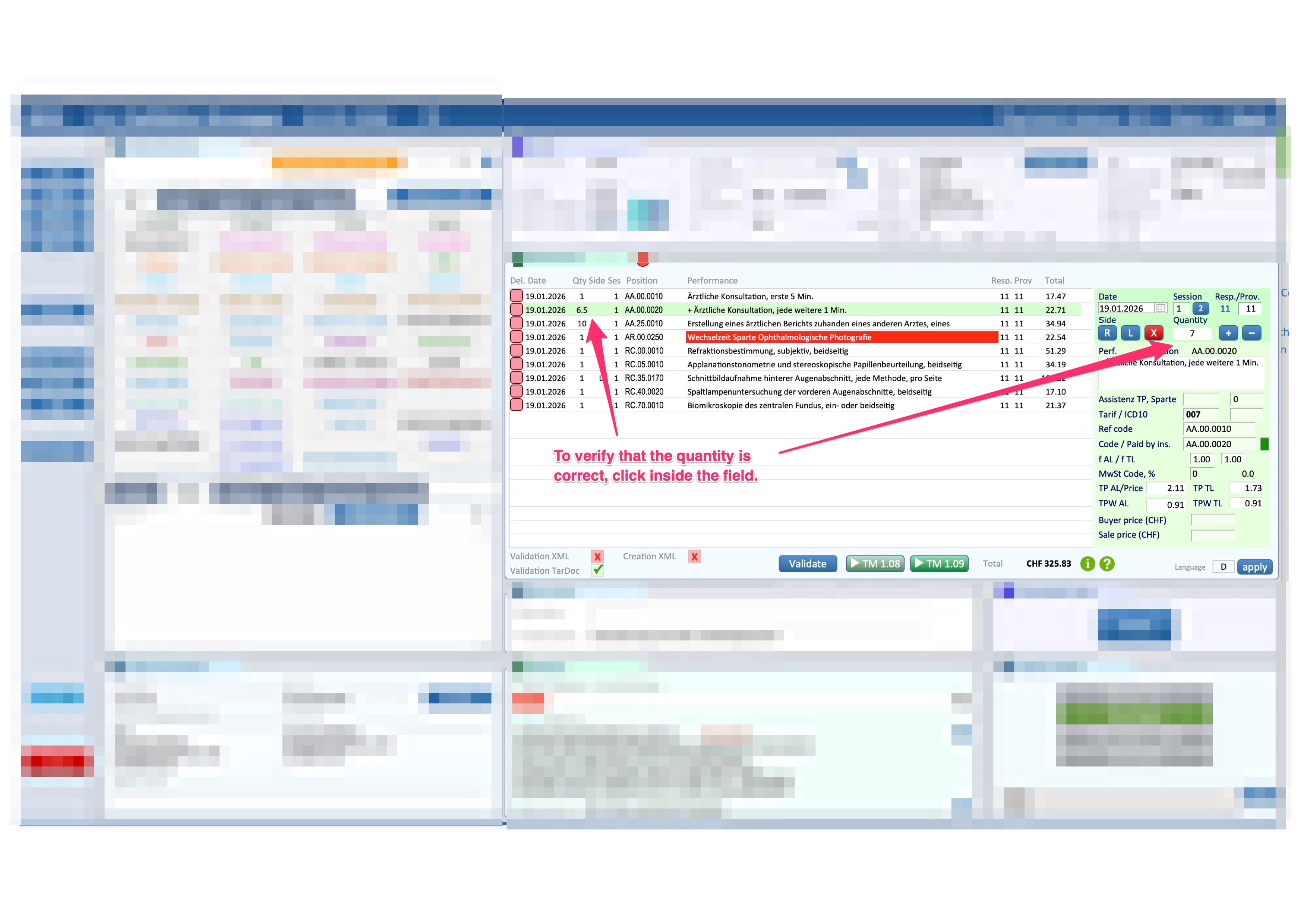
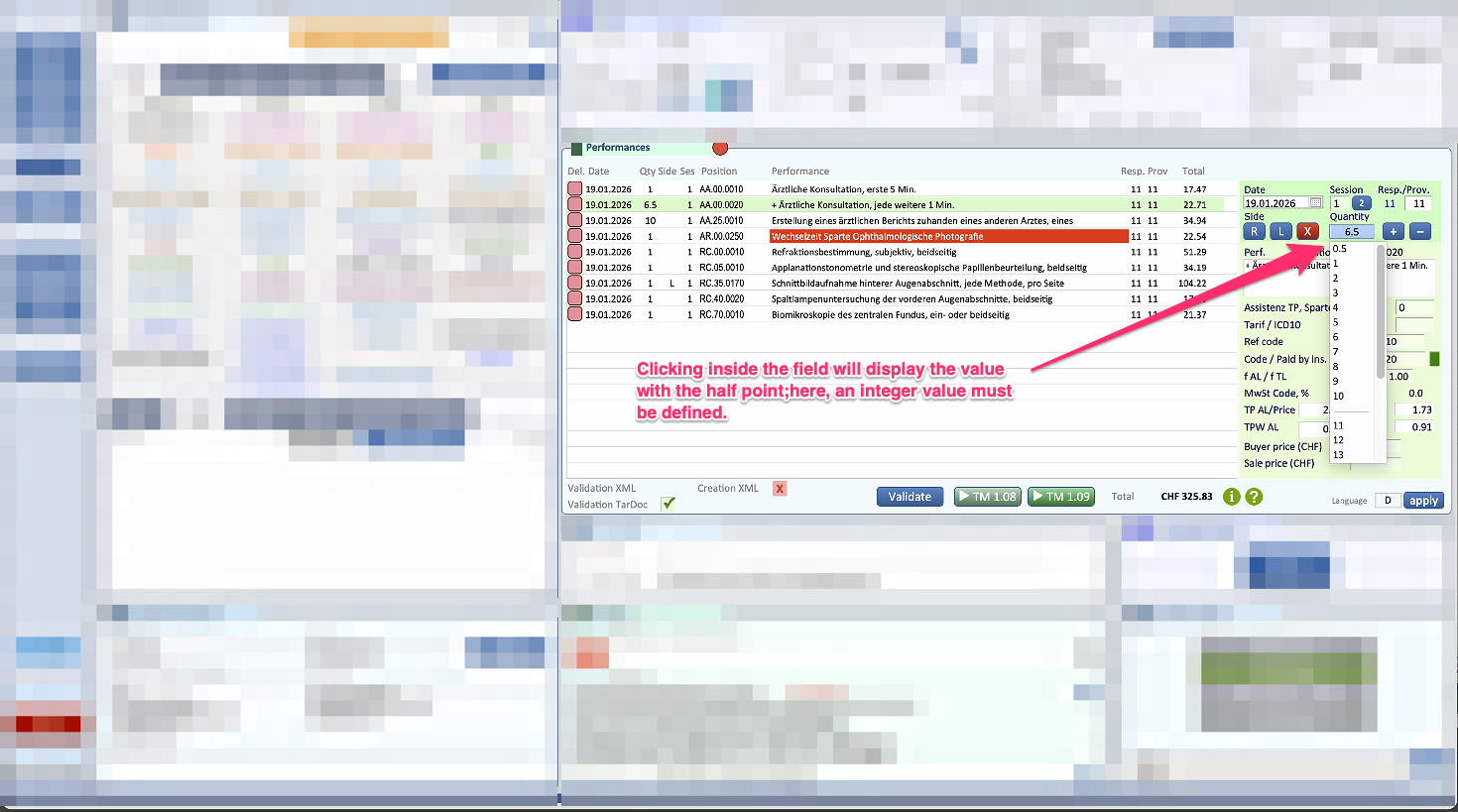
b. If, on the other hand, you wish to correct the quantity in the buttons, as we recommend, since what you do in the buttons will be permanent, you will need to edit the value of the individual service in the buttons by following the procedure below.
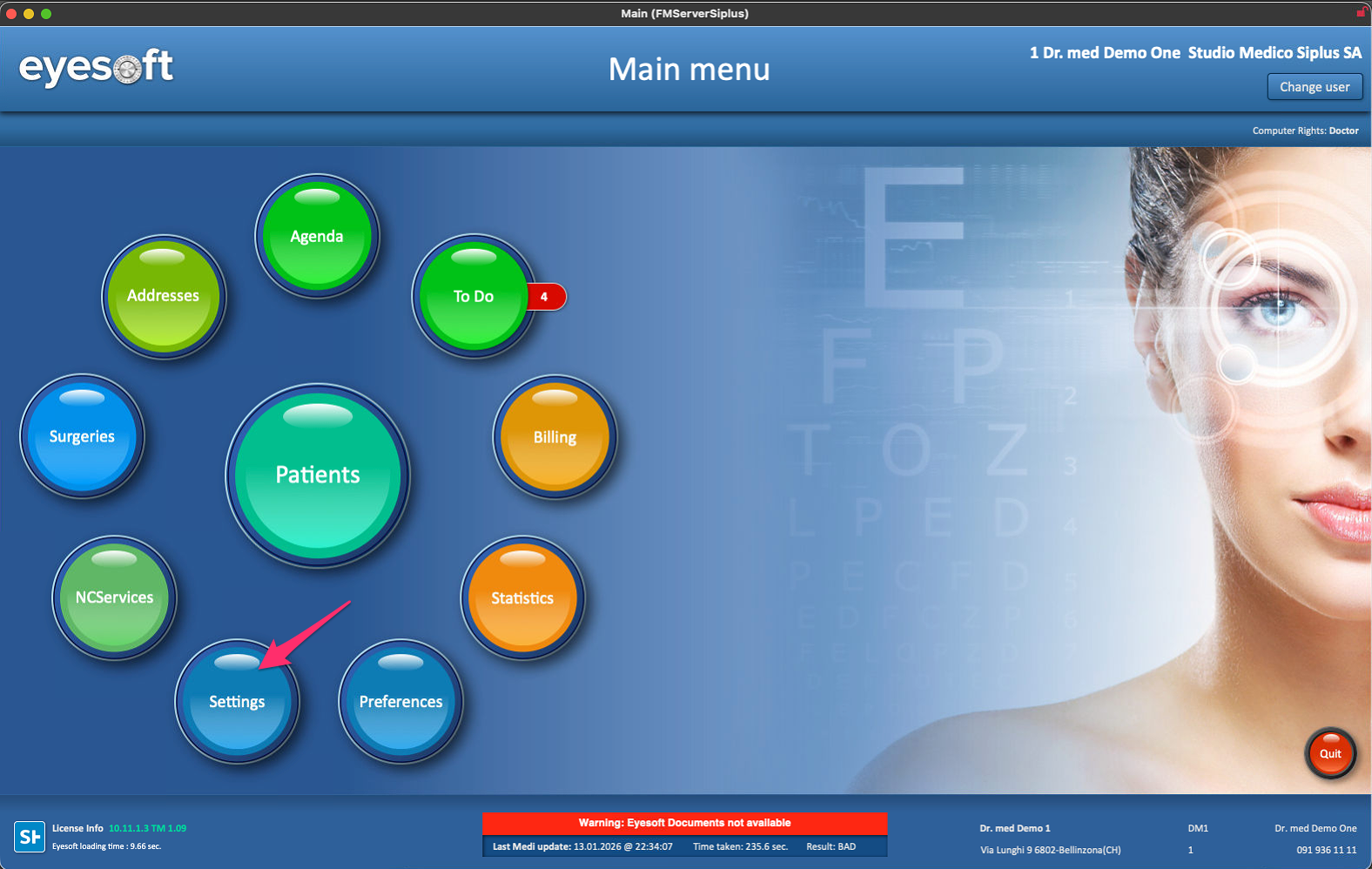
1. Access the Eyesoft settings.
2. Go to the performance buttons menu.
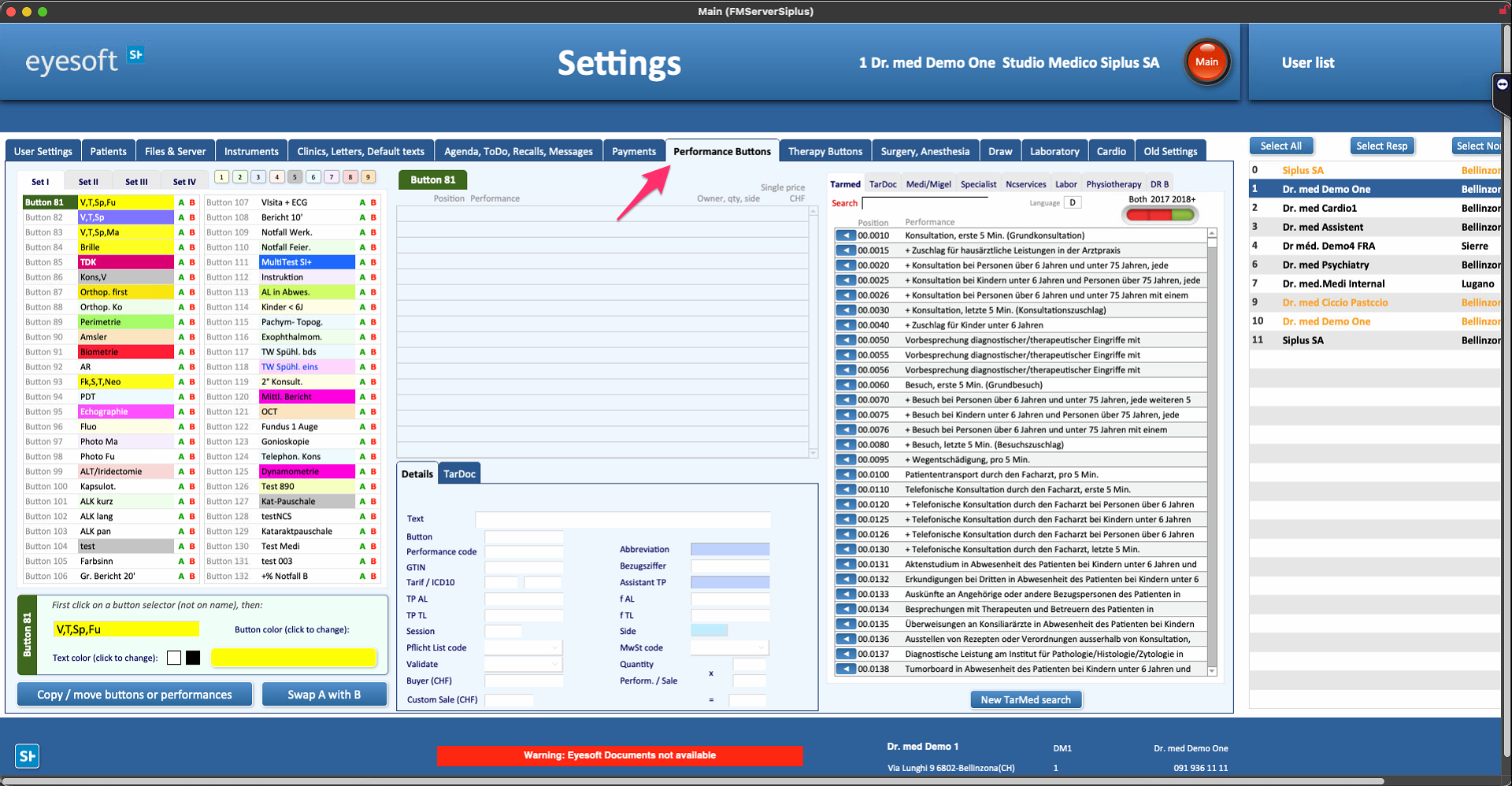
3. Select the button containing this service, then select the service and finally go to edit the quantity as shown in the screenshot below.
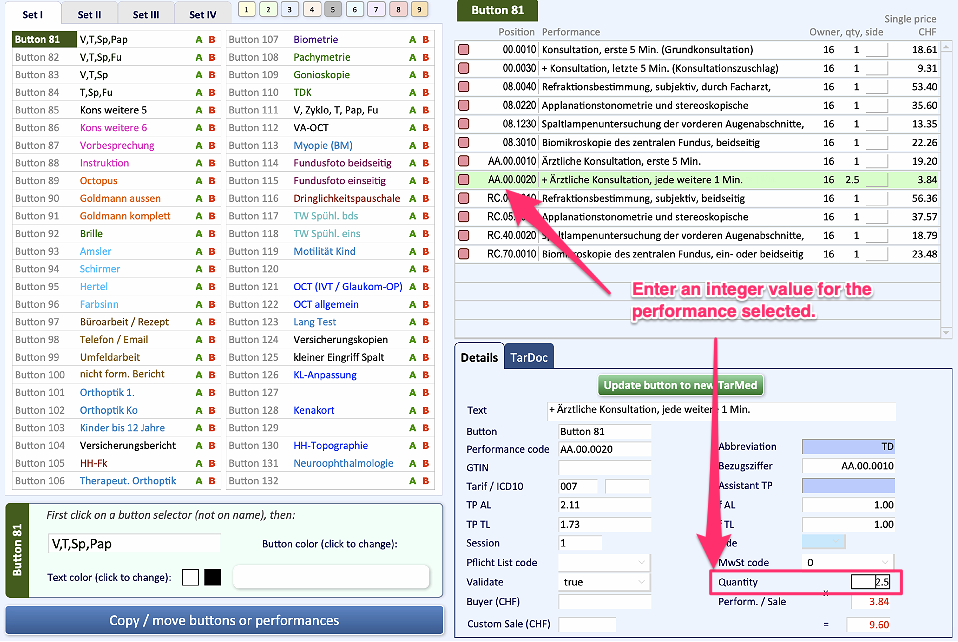
4. Once you have finished making changes to the main doctor's buttons, you can copy these buttons to all other users.
To do this, follow the guide below.
Link 1: https://siplussa.happyfox.com/kb/article/36-settings-copying-performance-buttons/

