76
76
The new TARDOC has brought some changes to the use of the Ticino Code / ICD-10 code as invoice diagnosis.
Below, we will first show you how to set up EyeSoft so that there is a standard setting for all invoices.
Secondly, we will explain how to use the codes according to the rules defined by the FMH organisation.
Eyesoft Setup
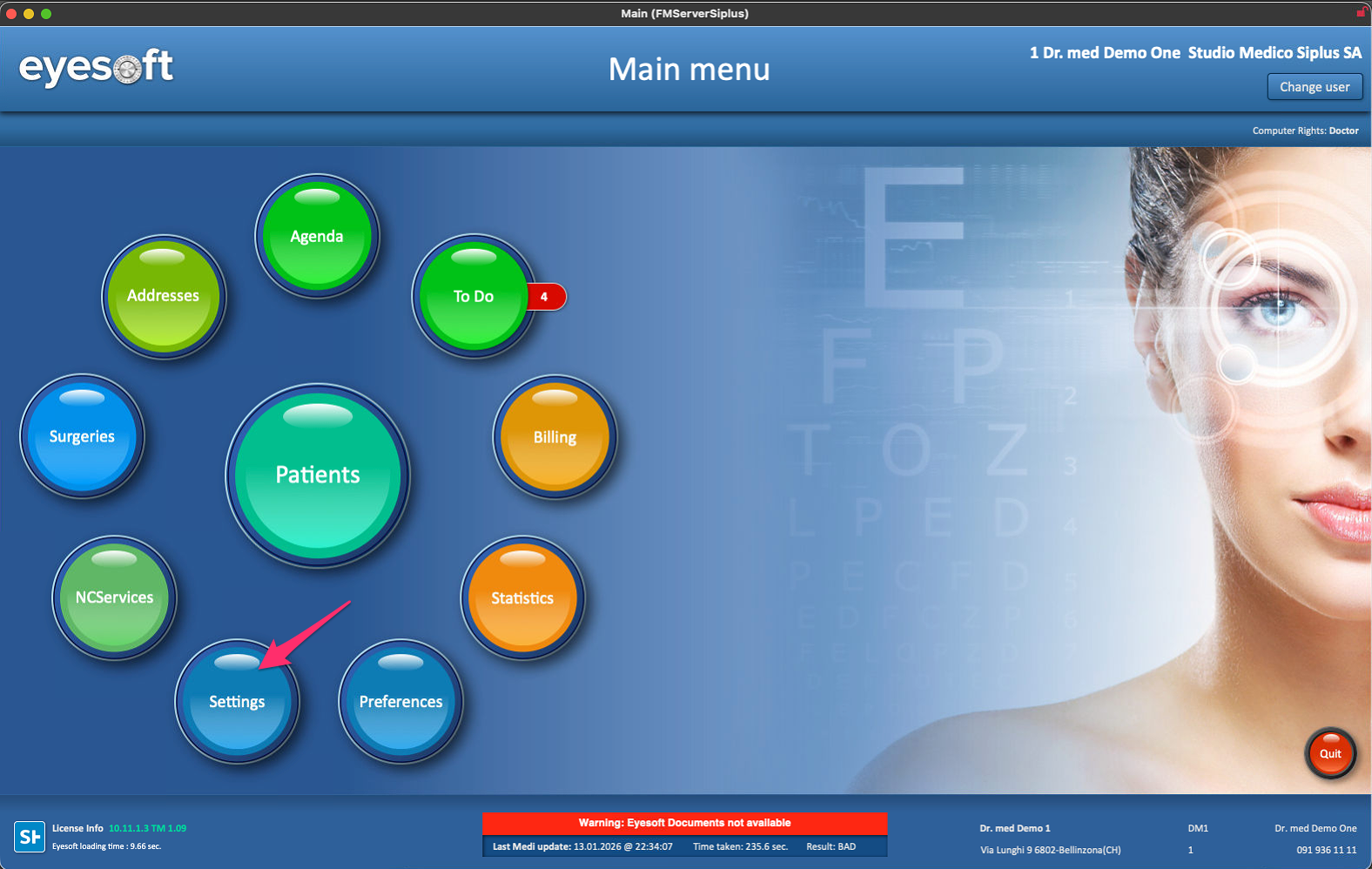
1. Access the Eyesoft settings.
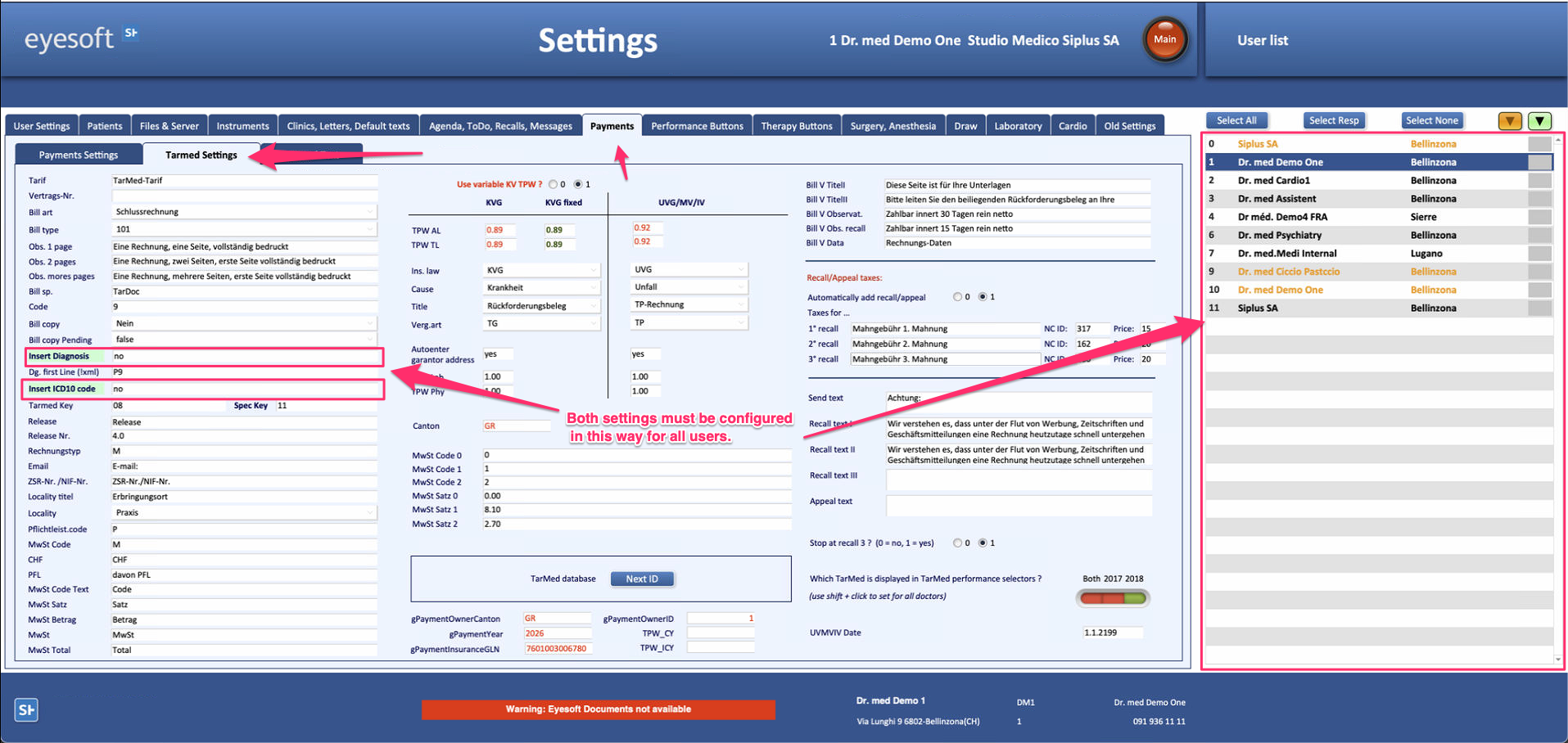
2. Please access the Payments tab —> Tarmed Settings and configure as shown in the attached screenshot.
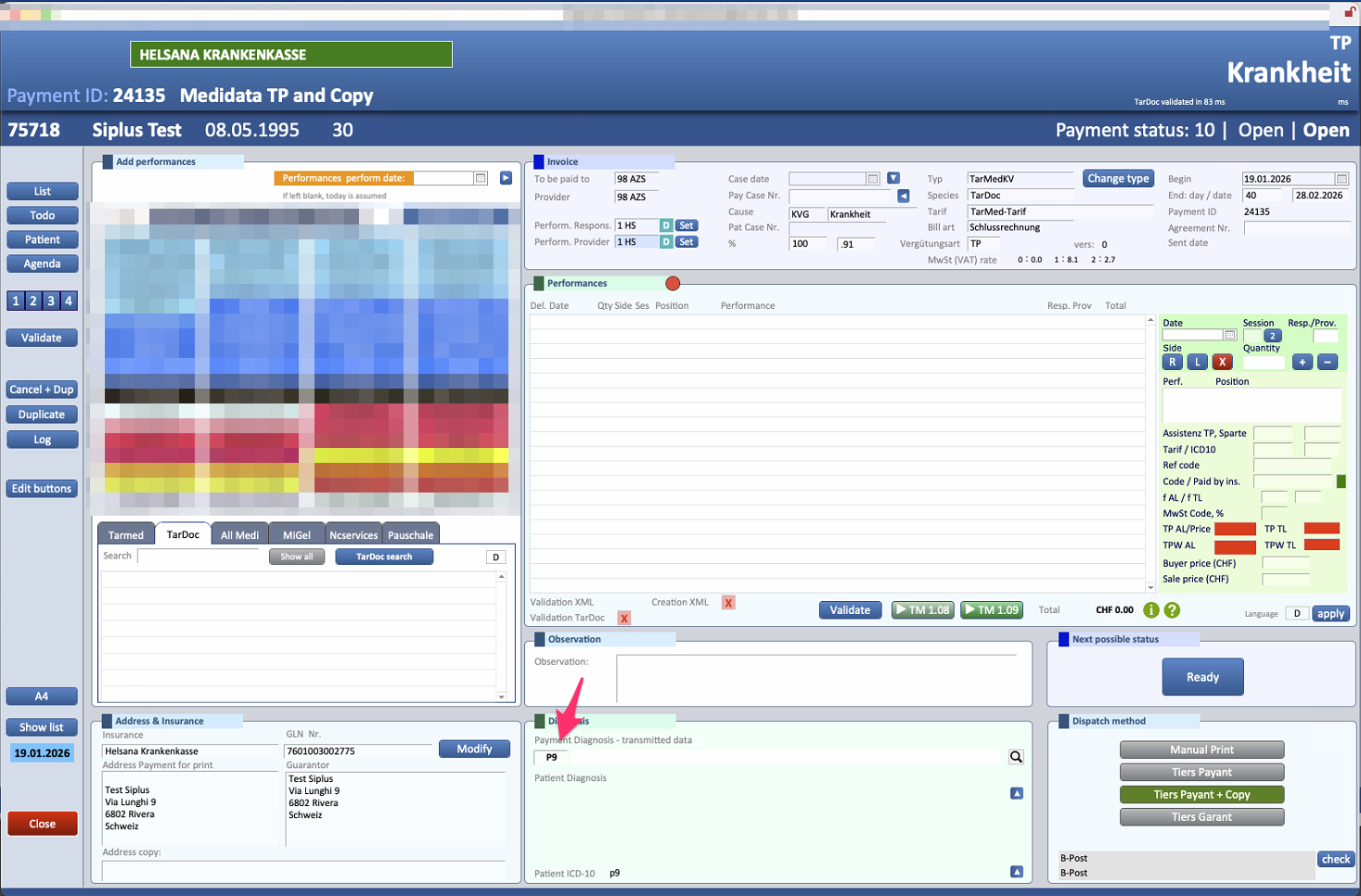
3. Once Eyesoft has been set up in this way, invoices will be created with the standard Ticino code P9.
When should an ICD code instead of the Ticino Code P9 be used?
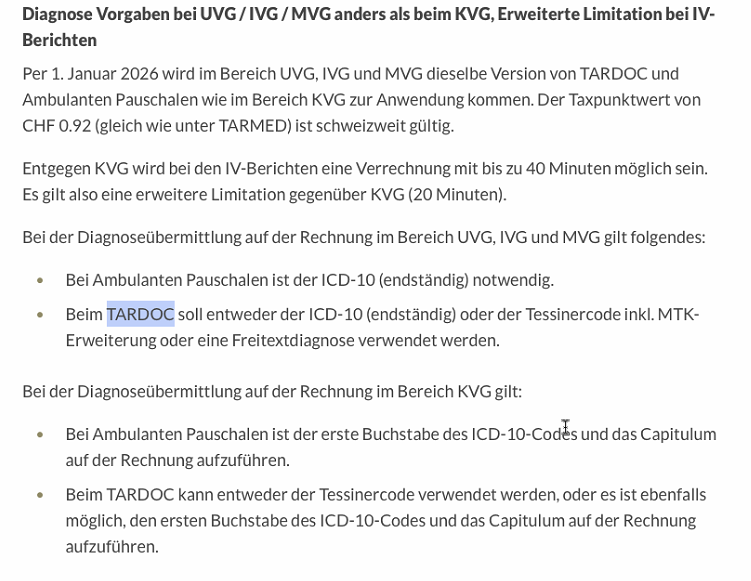
As reported in these two links, which we invite you to read, there are situations in which the code to be used is different from P9. Below is an extract with the original screenshot.
Link1: https://tarifeambulant.fmh.ch/wichtige-tarif-info.cfm
Link2: https://tarifeambulant.fmh.ch/files/pdf32/250430_anhangh_rechnungsstellung-.pdf
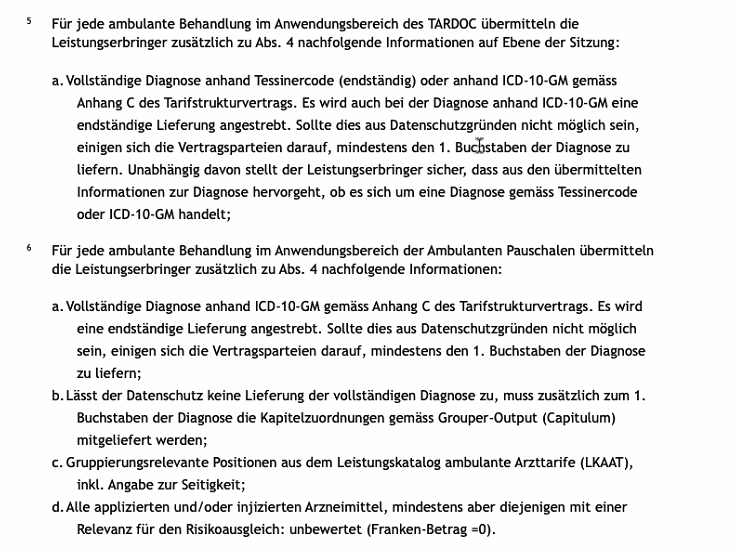
For each outpatient treatment within the scope of TARDOC, service providers shall, in addition to paragraph 4, transmit the following information at the session level: a. Complete diagnosis based on the Ticino code (terminal) or ICD-10 in accordance with Appendix C of the tariff structure agreement. A terminal delivery is also aimed for when using ICD-10 for diagnosis. If this is not possible for data protection reasons, the contracting parties agree to provide at least the first letter of the diagnosis. Irrespective of this, the service provider shall ensure that the information transmitted on the diagnosis indicates whether it is a diagnosis according to the Ticino code or ICD-10-GM. 6 For each outpatient treatment within the scope of the outpatient flat rates, the service providers shall transmit the following information in addition to paragraph 4: a. Complete diagnosis based on ICD-10-GM in accordance with Appendix C of the tariff structure agreement. The aim is to provide the full diagnosis. If this is not possible for data protection reasons, the contracting parties agree to provide at least the first letter of the diagnosis; b. If data protection does not allow the full diagnosis to be provided, the chapter assignments according to the grouper output (Capitulum) must be provided in addition to the first letter of the diagnosis; c. Grouping-relevant items from the outpatient medical service catalogue (LKAAT), including information on the side affected; d. All administered and/or injected drugs, but at least those relevant to risk compensation: unrated (franc amount = 0).
(ICD-10-GM is simply the German version. The Capitulum info is automatically inserted by Eyesoft in the invoice and you don't need to do anything about it.)
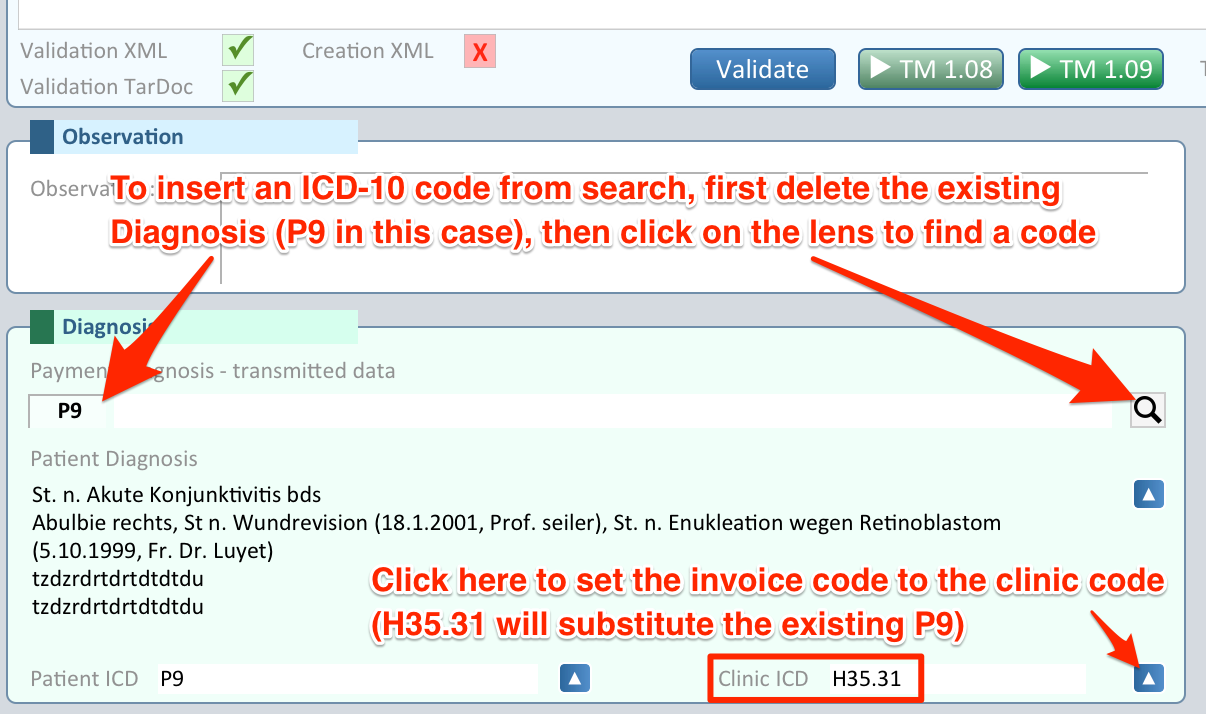
In all cases when an ICD-10 code is required, it can be entered by getting it from the last clinic, if available, or by doing a search via the provided magnifying lens button.
Please note that if a code is already present, it has to be deleted before inserting a different one via search.