


 298
298
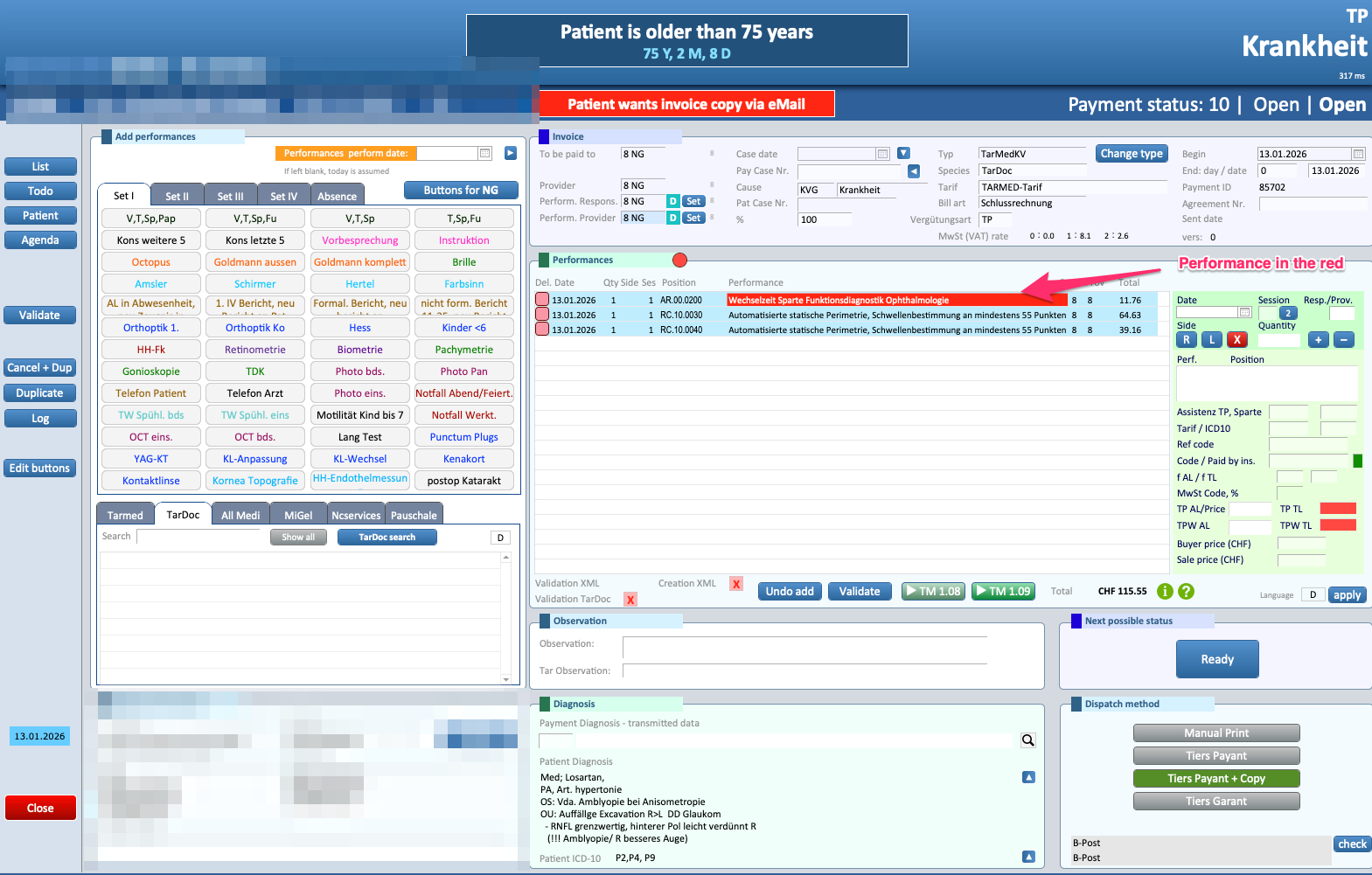
The issue arising from the introduction of the concept of “Wechselzeit” in TarDoc can be resolved in the following manner.
In order to avoid claim rejections and ensure the correct acceptance of invoices by insurance companies, we require the collection of certain additional data. Although this information is not always explicitly listed as mandatory in official documentation, operational experience shows that it is effectively required by some insurers.
A review of rejected invoices clearly highlights a recurring pattern: rejections occur almost exclusively with a limited number of insurance providers, in particular Visana, CSS and Atupri, when this information is missing.
For this reason, the request for these data elements is not arbitrary, but a preventive measure designed to:
-
reduce the number of rejected invoices
-
avoid delays in reimbursement
-
minimize follow-up actions and manual corrections
While some requirements may be formally described as optional, certain insurance companies expect them to be provided and may reject invoices if they are absent. Collecting this information upfront allows us to issue invoices that align with insurers’ expectations and ensures a smoother, faster and more reliable billing process for all parties involved.
Below is an example of how this issue appears in Eyesoft.
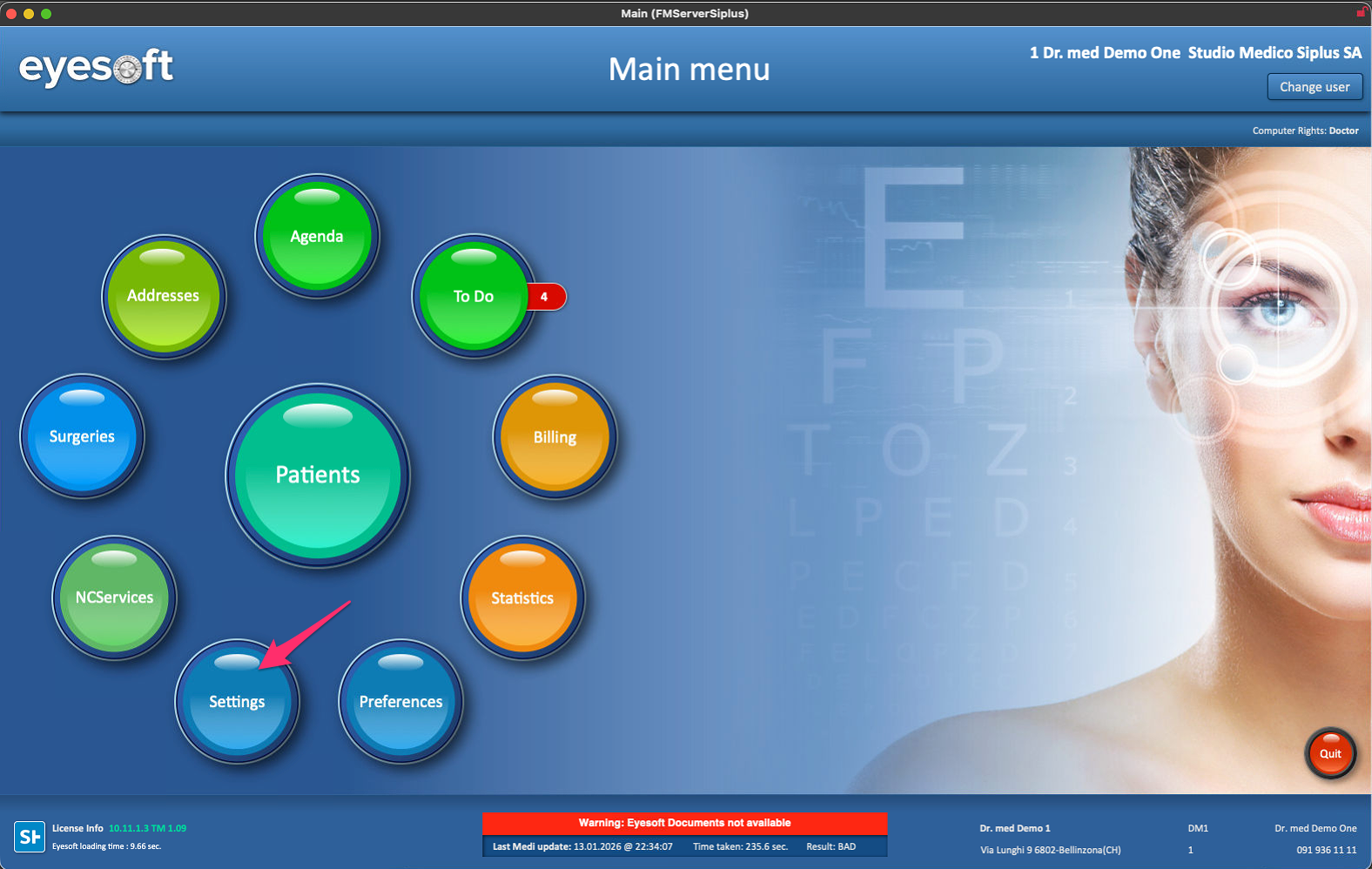
1. Access the Eyesoft settings.
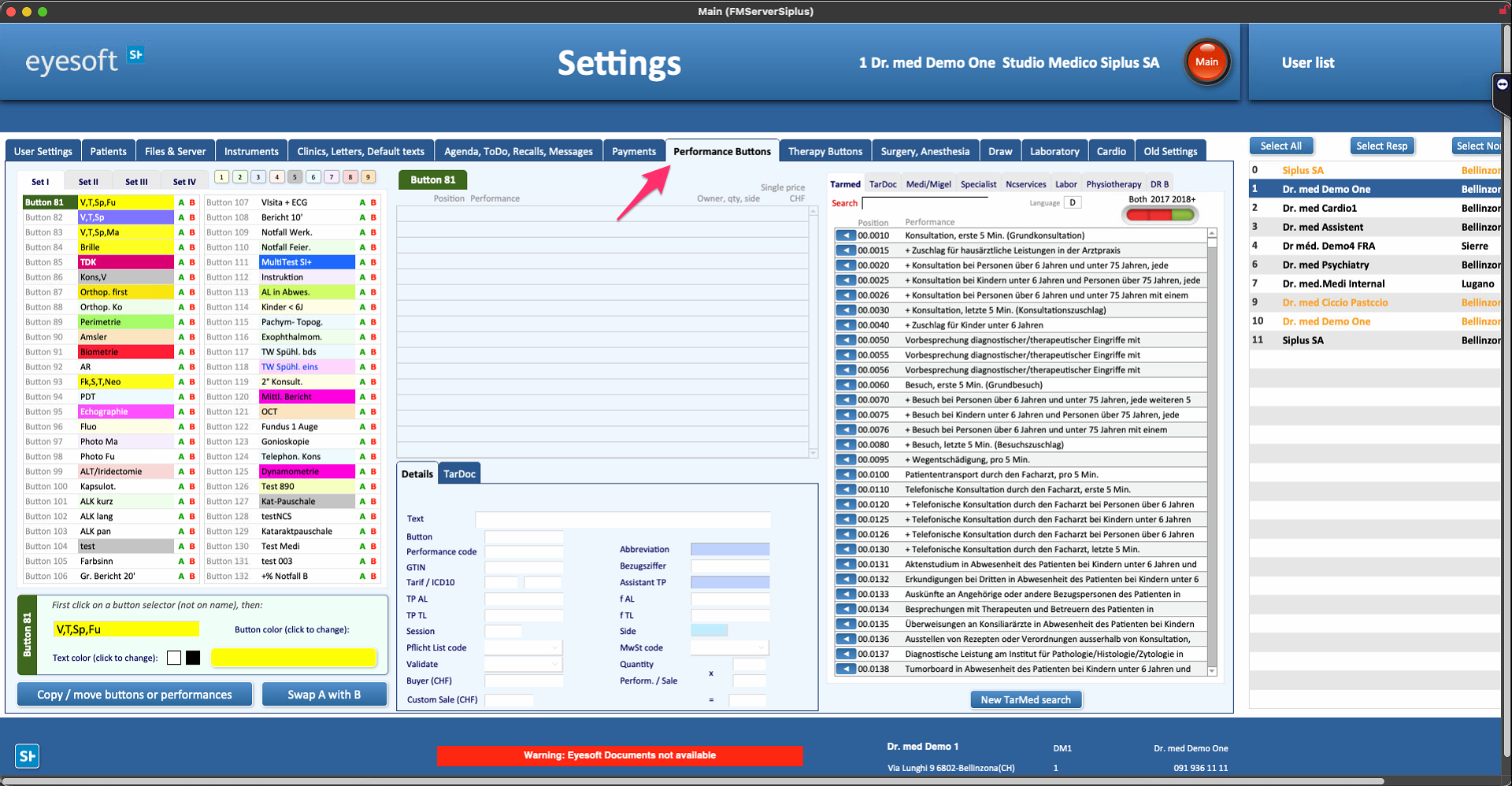
2. Go to the performance buttons menu.
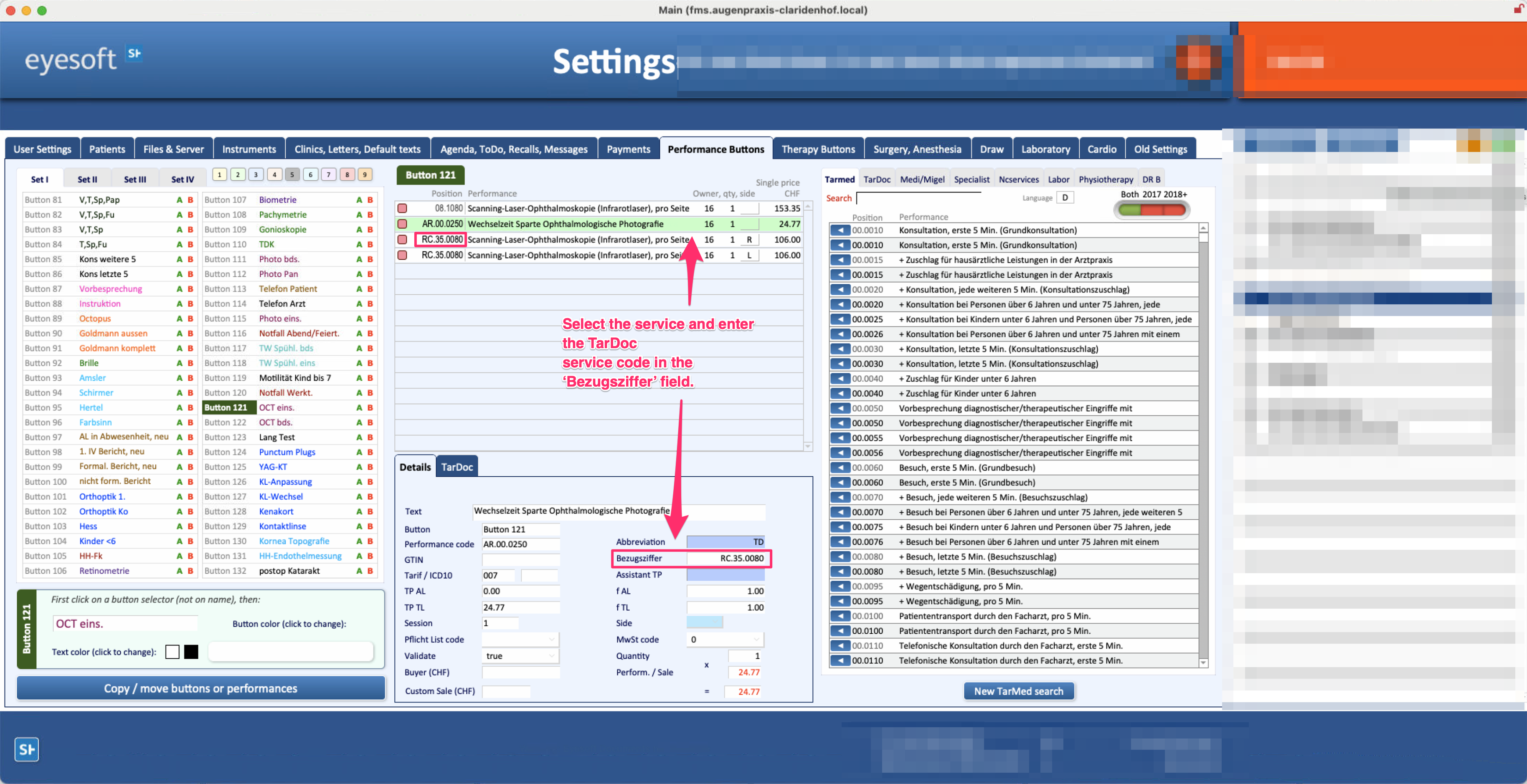
3. Now you need to edit all buttons that contain the Wechselzeit service and edit the service as described in the screenshot below.
N.B: This operation must be performed on all buttons where there is a Wechselzeit function. Once this is done, the problem will be solved.
Below are some useful links
- Copy Button from User A to other
Once you have finished fixing the user buttons, you can copy them to others. Below is the link
Link 1: https://siplussa.happyfox.com/kb/article/36-settings-copying-performance-buttons/

