


Preferences - Updating GLN/ZSR numbers

Mar 26, 2026
 2
2
- Select the user whose GLN/ZRS code needs to be updated
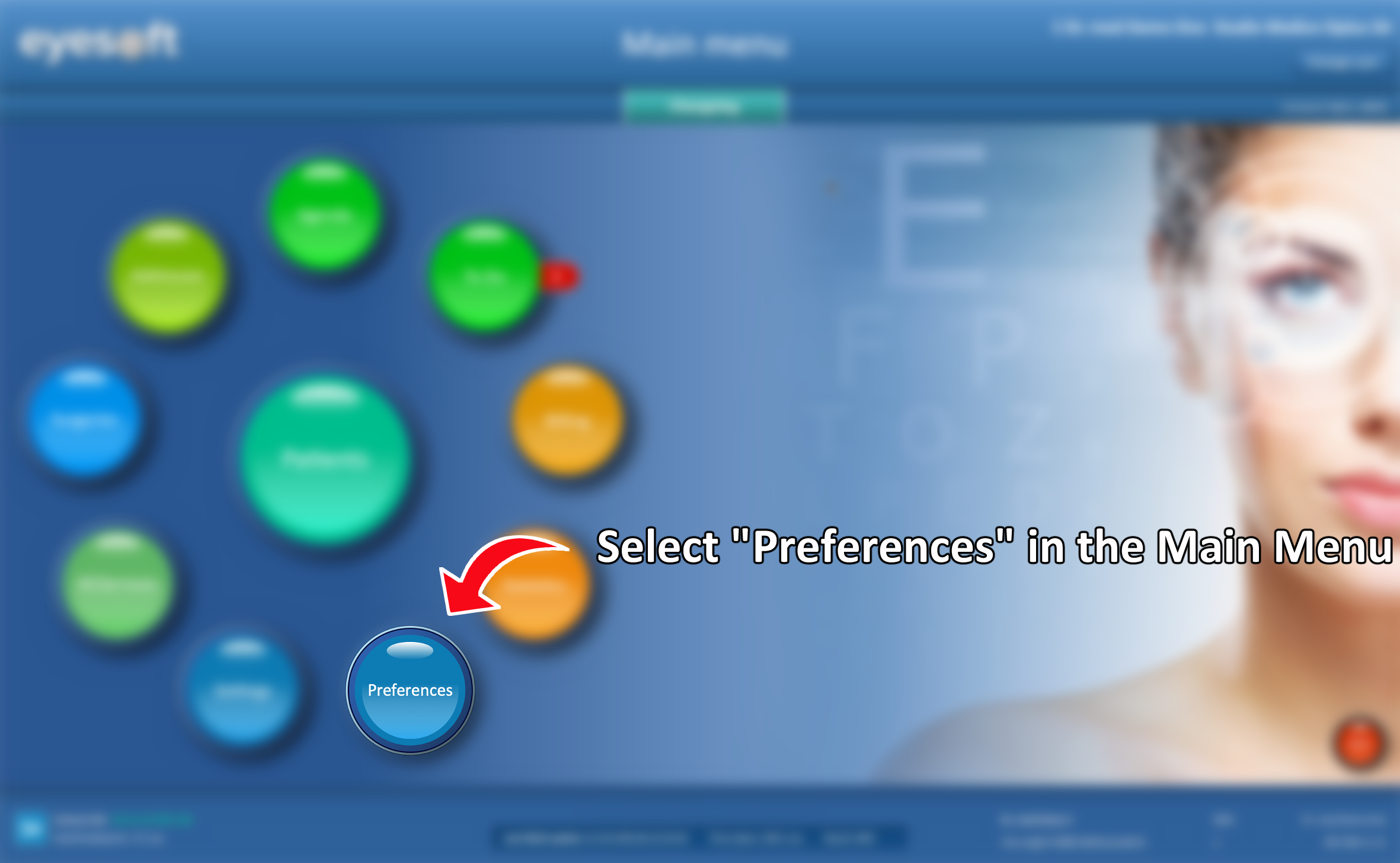
- Go to the Main Menu and click Preferences
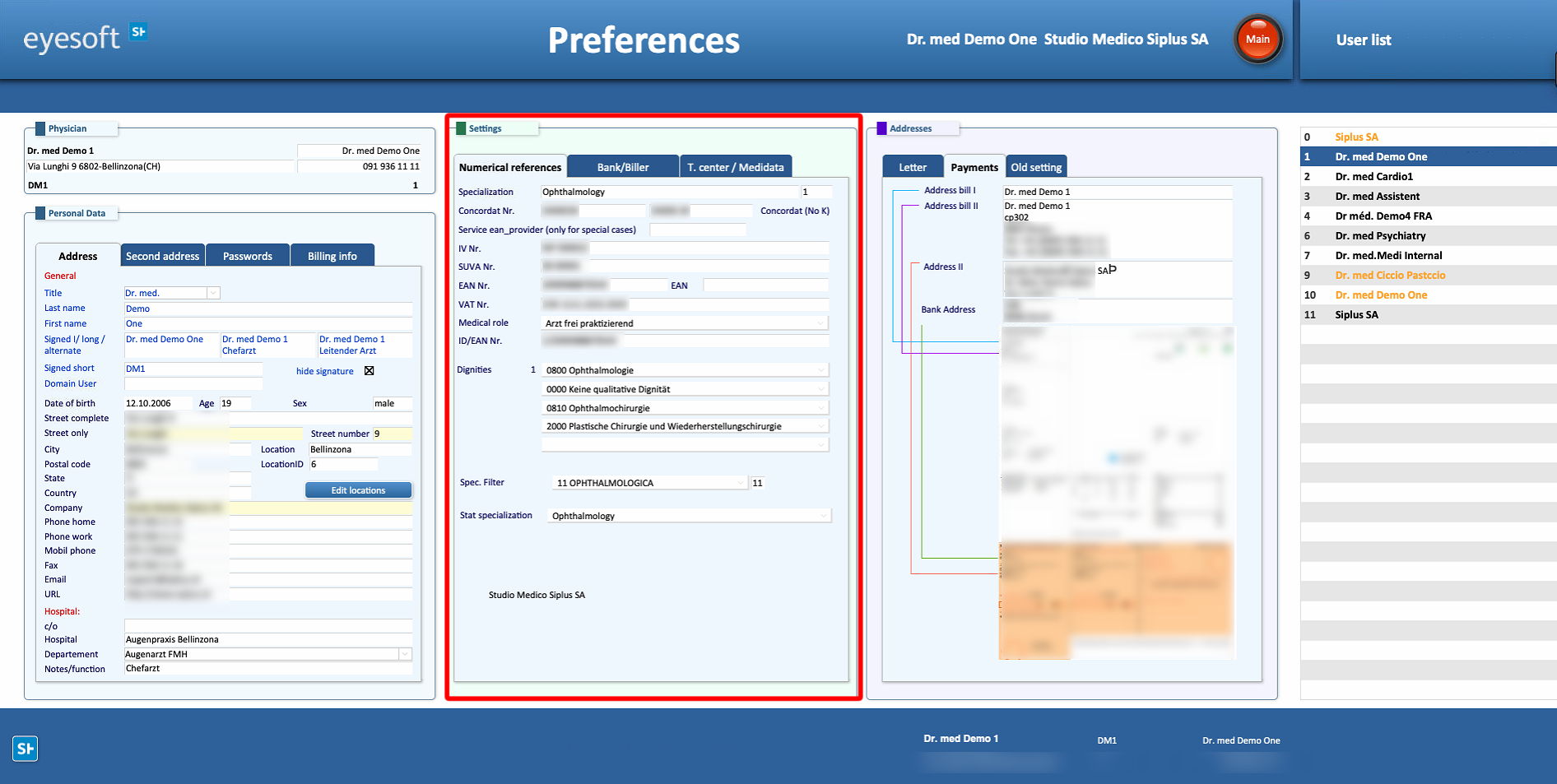
- In the Preferences window, locate the Settings section (middle area)
- Enter the correct GLN/ZRS codes in the appropriate fields
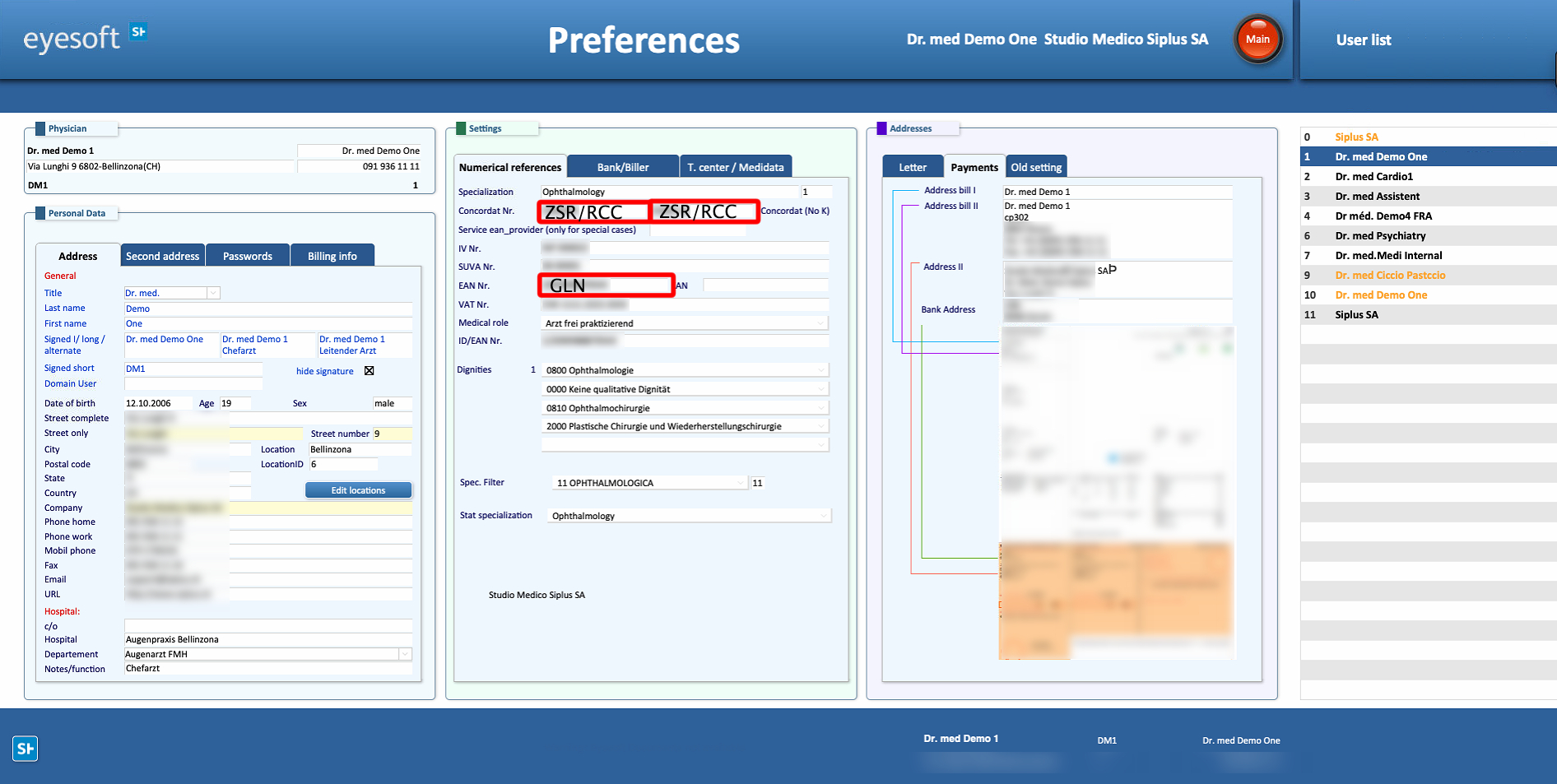
⚠ Important: ZSR numbers ending with K cannot be used for billing
- For this reason, alongside the ZSR number with the K, a second ZSR number must be provided
- This second ZSR number can belong to a supervisor or to the clinic itself

